
Cards
Each card is one piece of work and its Claude Code session. A card shows everything you need to decide whether to look at it now.
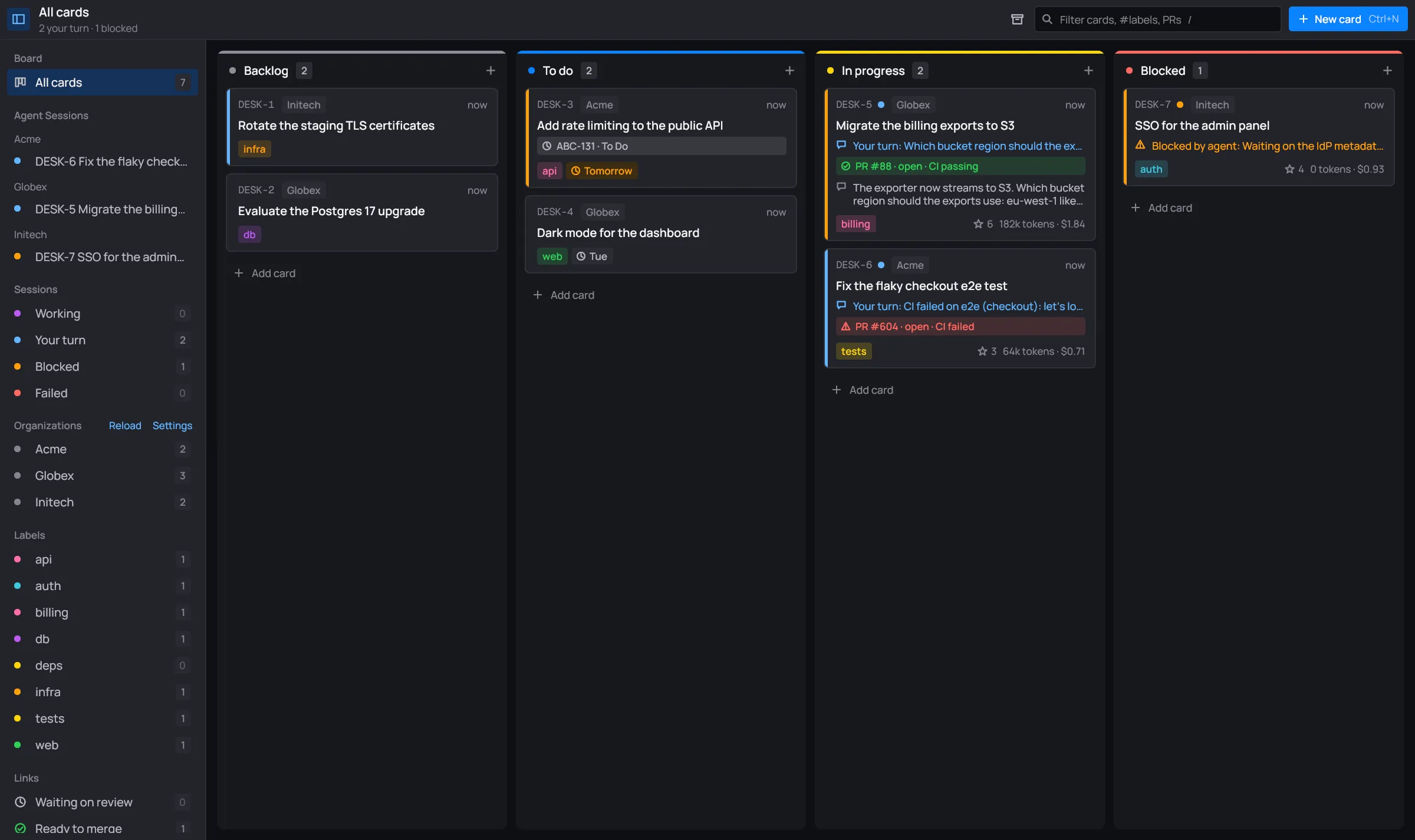
Anatomy of a card
Section titled “Anatomy of a card”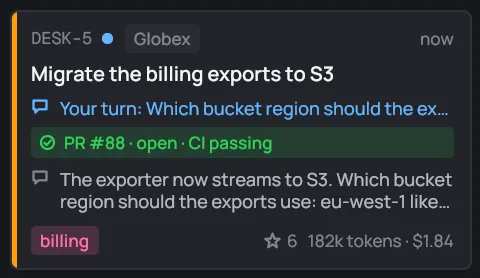
From top to bottom:
- The top line. Starts with the card’s key (
DESK-5), then its status dot, its organization (Globex) and its age on the far right.- The key is the card’s number on this board:
DESK-1,DESK-2… It’s what you search for, copy, and what the session’s tools call the card. - The status dot shows the session’s state: purple while working, blue for your turn, orange for blocked, red for failed, green for done. Cards with no session yet have no dot.
- The age is the time since the card last changed: “now”, “5 min. ago”, “3 hr. ago”, “yesterday”, then a date (“Oct 20”).
- A card whose Claude handed server work to its organization’s infra Claude also shows an orange ⇄ org infra pill. See Cards and servers.
- The key is the card’s number on this board:
- The title, up to three lines.
- The status line: the state in words and, after a colon, its reason:
- “Working”, in purple, while Claude takes its turn.
- “Your turn: …”, in blue, when Claude is waiting on you: a question, an answer to look over, a permission to grant.
- “Blocked by agent: …”, in orange, when Claude reports it can’t go on (for example, “Waiting on the IdP metadata from IT”).
- “Failed: …”, in red, when the session ended with an error.
- “Done”, in green.
- Link chips, one per link: its reference and its live state, colored by tone (“PR #88 · open · CI passing” in green). A card shows up to three. After that it says “+2 more links”, and the session panel lists them all. See Links.
- The last message from the session, on up to two lines. A card with no messages yet shows the start of its notes.
- The foot: up to three labels (more fold into “+n”), the due date, and on the right, after a star, the session’s turns, tokens and cost (“6 182k tokens · $1.84”: six turns so far).
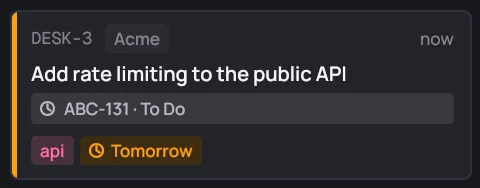

Priority and due date
Section titled “Priority and due date”- A colored stripe down the card’s left edge shows its priority: blue for Low, orange for Medium, red for High. Cards with no priority have no stripe.
- The due pill reads “Today” or “Tomorrow” in orange, the weekday within the week (“Mon”), and a date further out (“Nov 12”). Once the date has passed it turns red: “Overdue · Nov 2”. Cards in Done are never shown as late.
Selected and hovered
Section titled “Selected and hovered”The card you select with the arrow keys (or the last one you clicked) has a blue outline. A click opens its session panel.
The card menu
Section titled “The card menu”Right-click a card for its menu.
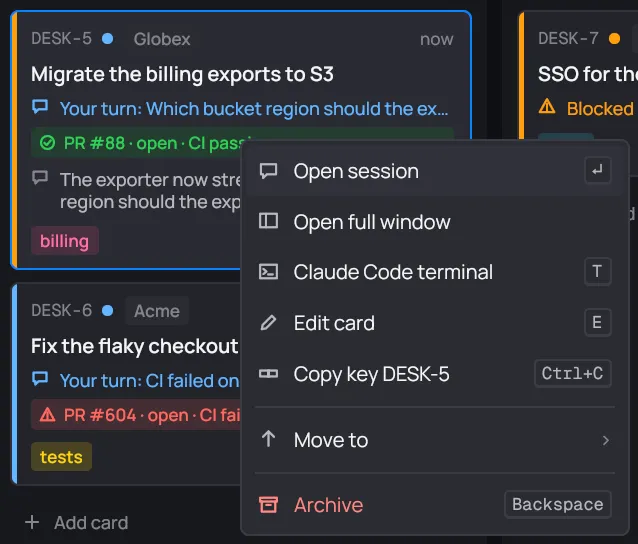
| Item | Key | What it does |
|---|---|---|
| Open session | Enter | Opens the card’s session panel beside the board. |
| Open full window | Opens the session in the whole window, as in Agent Sessions. See Full window. | |
| Claude Code terminal | T | Opens the session in the real Claude Code TUI, inside desk. See Terminal. |
| Edit card | E | Opens the card’s editor. |
| Copy key DESK-5 | Ctrl+C | Copies the key to the clipboard. |
| Move to | 1…5 | Moves the card to another column. |
| Archive | Backspace | Archives the card. The toast’s Undo (or Ctrl+Z) brings it back. |
The keys only work while the menu is open. Esc or a click outside closes it.
Hover Move to to open the list of columns. The card’s own column says “· here”. Each column’s number moves the card there.
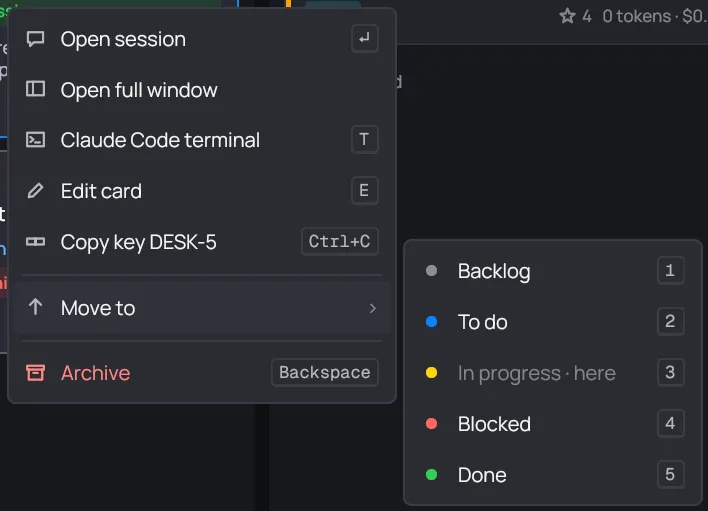
When the card’s session is running, Archive reads Archive and stop the session: archiving ends the session too. See Done archive.