
Subagents and shells
Claude can hand part of its work to a subagent, or leave a command running in a background shell. desk follows both: a bar under the header says what runs, and a rail lists each one with its details.
The bar under the header
Section titled “The bar under the header”While a session has subagents or background shells, a bar shows under its header. It says what runs now, in words: “You’re running 1 subagent”, then each one’s name, model and, when it’s held, why.

Click Show details to see them. From the panel, this opens the session’s full window with the rail. In the full window it opens and closes the rail (Hide details).
When nothing runs any more, the bar says “N finished: history”, and a click opens the history.
The rail
Section titled “The rail”The rail is a column on the right of the full window. Running now lists the subagents and shells that run, and those that ended under a minute ago. Then they move to the history.
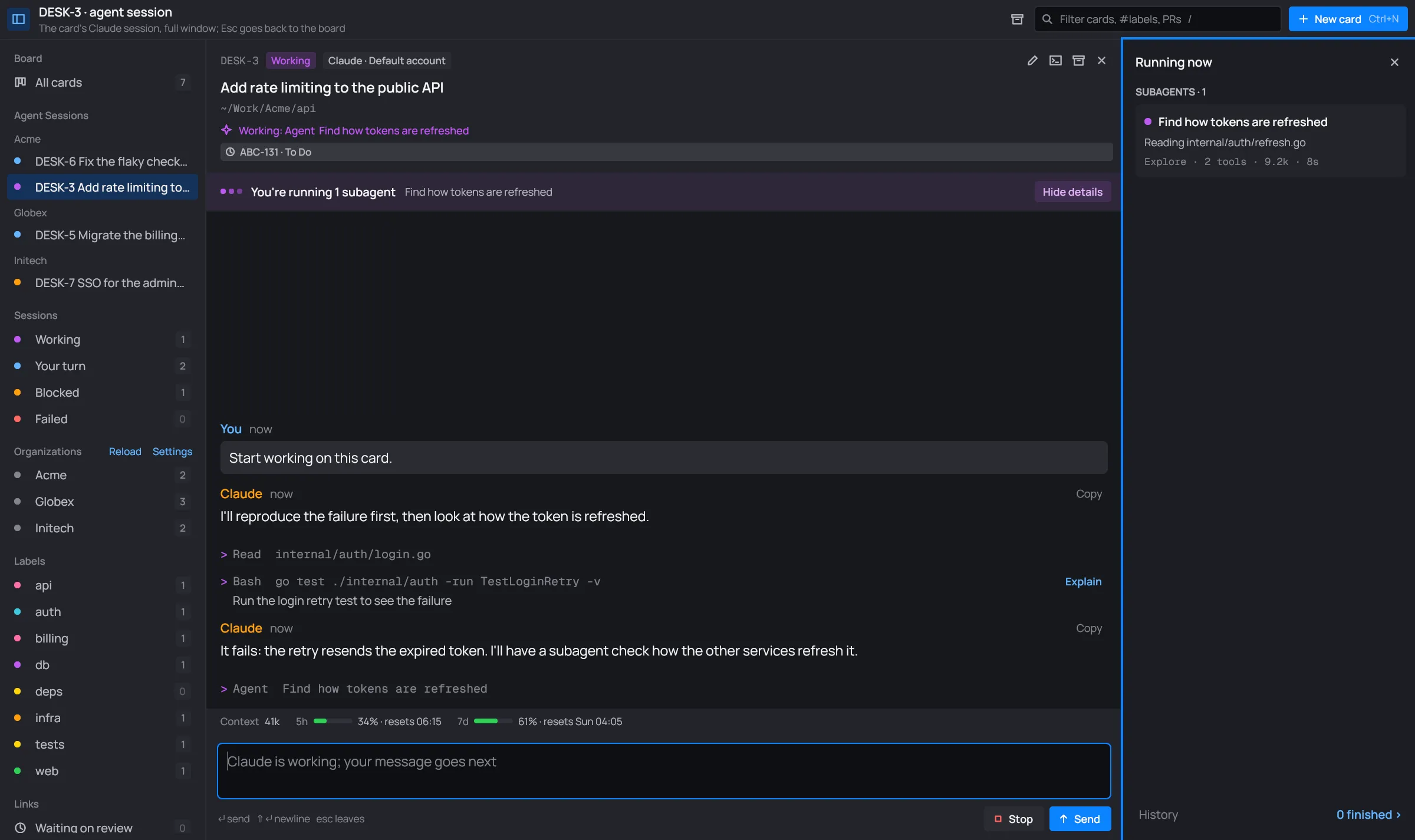
Each subagent is a card:

- The dot or mark: a purple dot while it runs, a green check once it completed, a red × if it failed or was stopped.
- The name: the task Claude gave it.
- The model it runs on, as a chip (Haiku 4.5, Sonnet 4.5…), once desk has seen it.
- What it’s on now, or once it’s done, the first line of its result.
- The facts: its kind of agent, how many tools it used, its tokens, and how long it has run.
A background shell’s card has its command, the last line of its output, who started it (“by the session”, or by a subagent) and its time.
History at the rail’s foot says how many finished, and opens them all: finished subagents on the left, shells on the right, newest first.
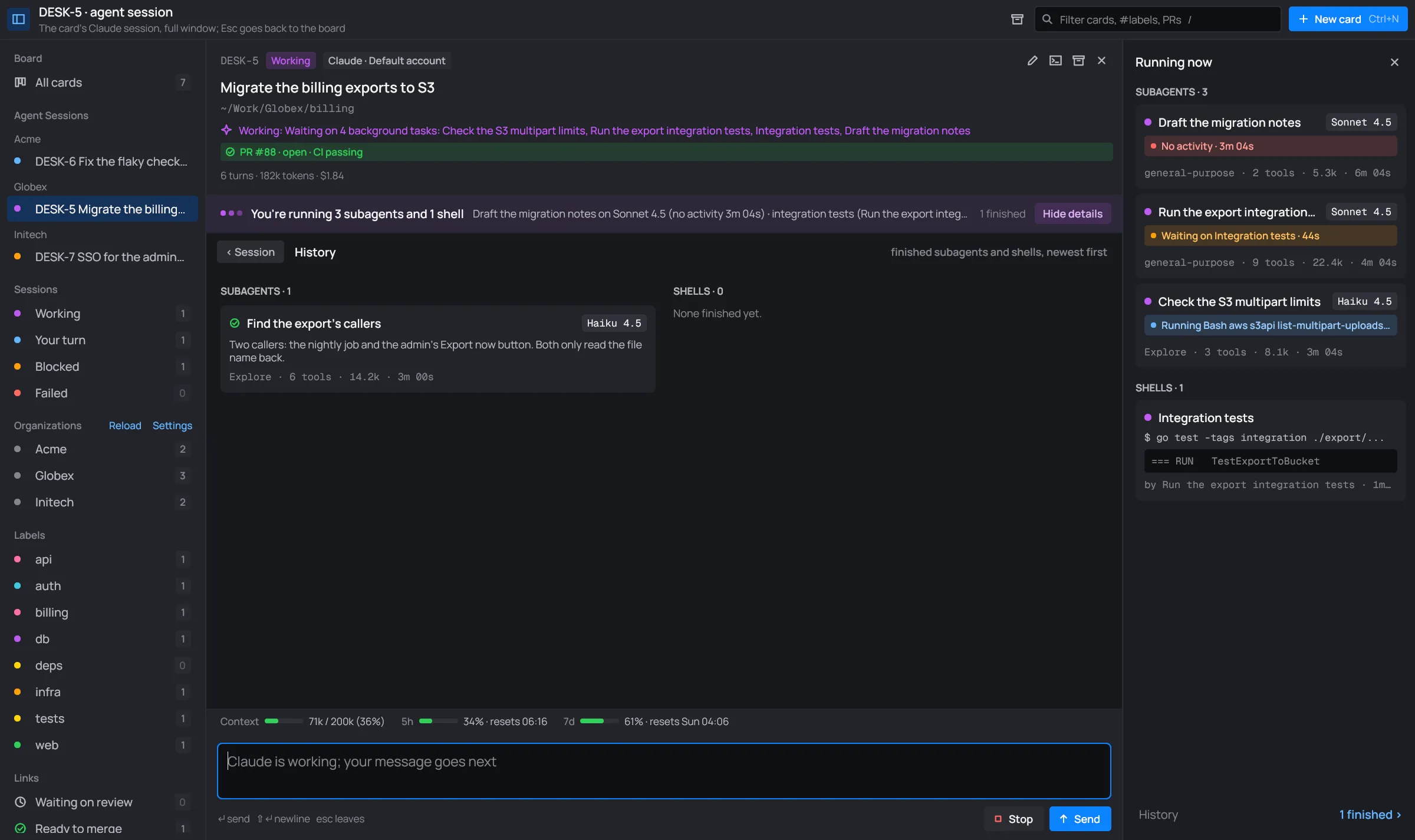
The rail’s × or Esc closes it.
A subagent or shell in full
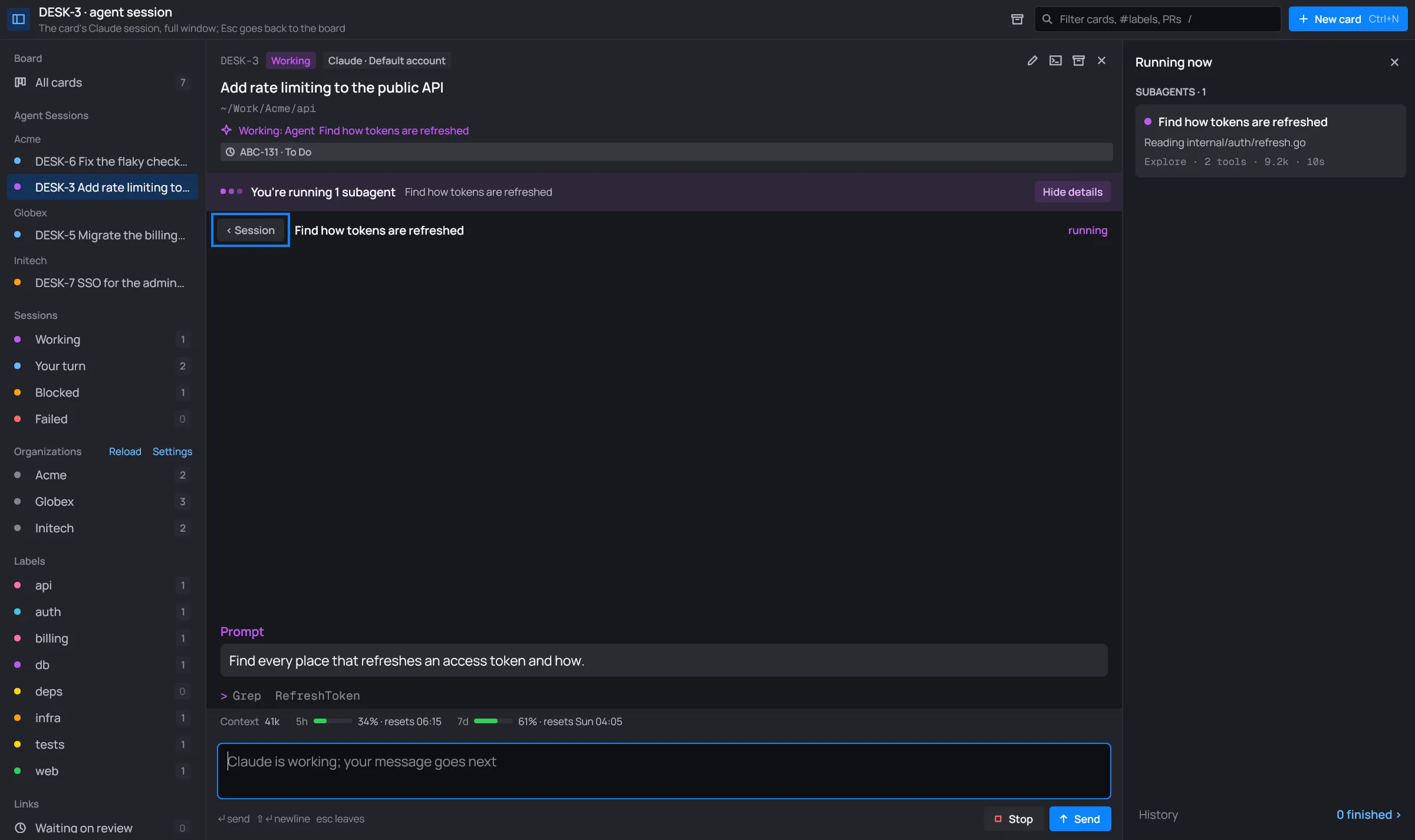
Section titled “A subagent or shell in full”Click a card in the rail or the history to open it in place of the conversation.
- A subagent shows the prompt Claude gave it, its messages and tool lines, and its result.
- A shell shows its command, what it does (Haiku is asked by itself, see Shell commands explained) and its output.

Held subagents
Section titled “Held subagents”A subagent that seems quiet says why, as a badge on its card. The bar says it too.
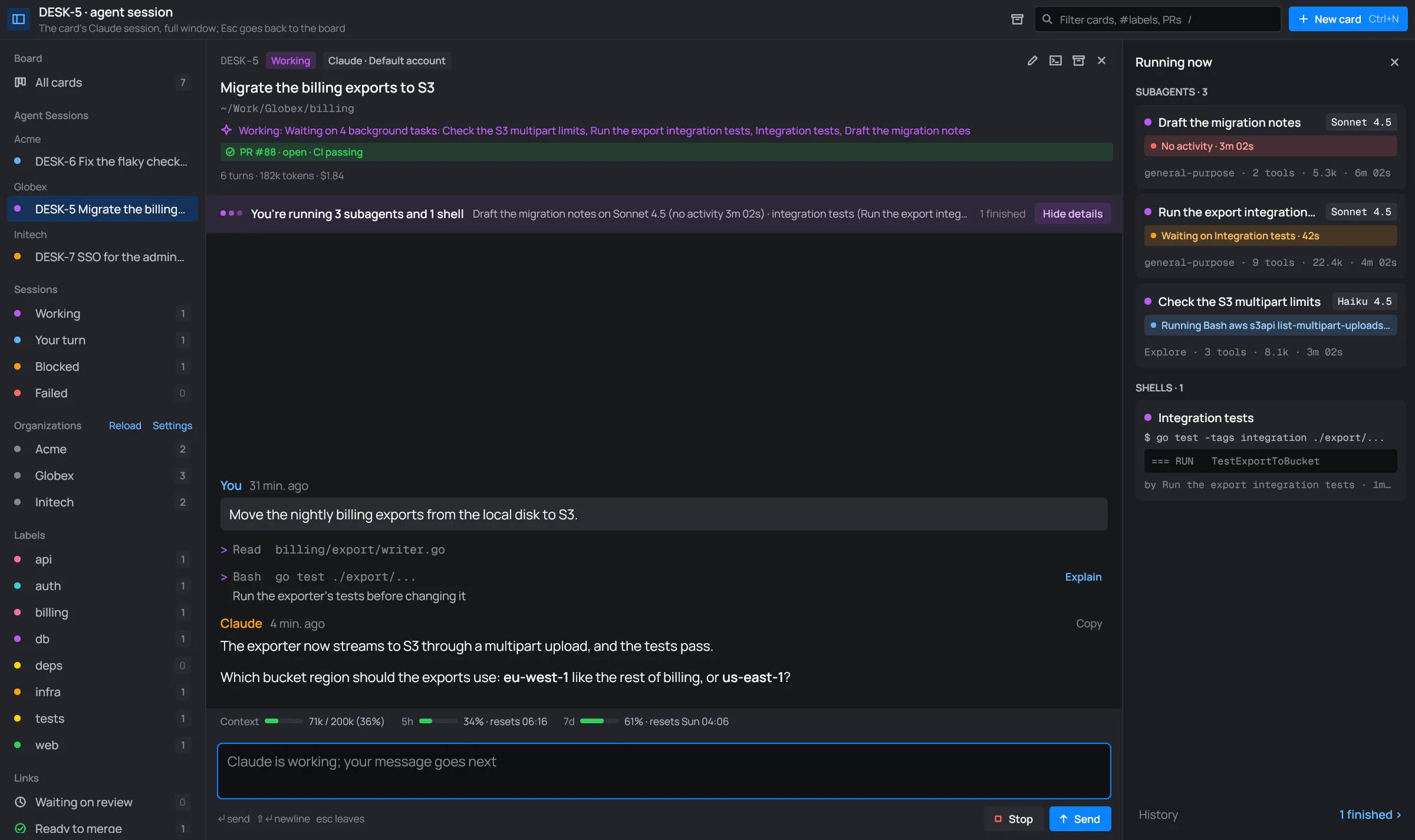
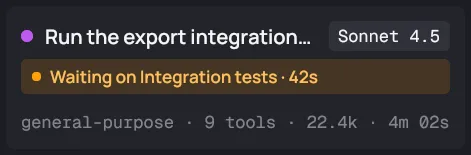
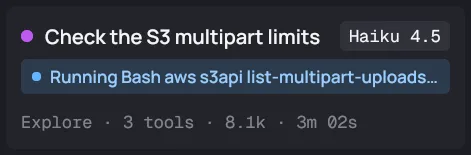
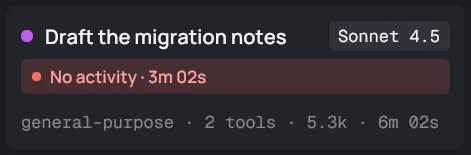
Each badge says how long it has held.
When the turn ends first
Section titled “When the turn ends first”Claude’s turn can end while its subagents or shells still run. The card then stays working, with a status line like “Waiting on its subagent: …” or “Waiting on 4 background tasks: …”. When they finish, Claude takes a turn of its own with their results.