
Settings
The Settings dialog edits two kinds of files: desk’s own settings (the folders it searches and the
languages) and each organization’s desk.toml (its accounts).
Opening it
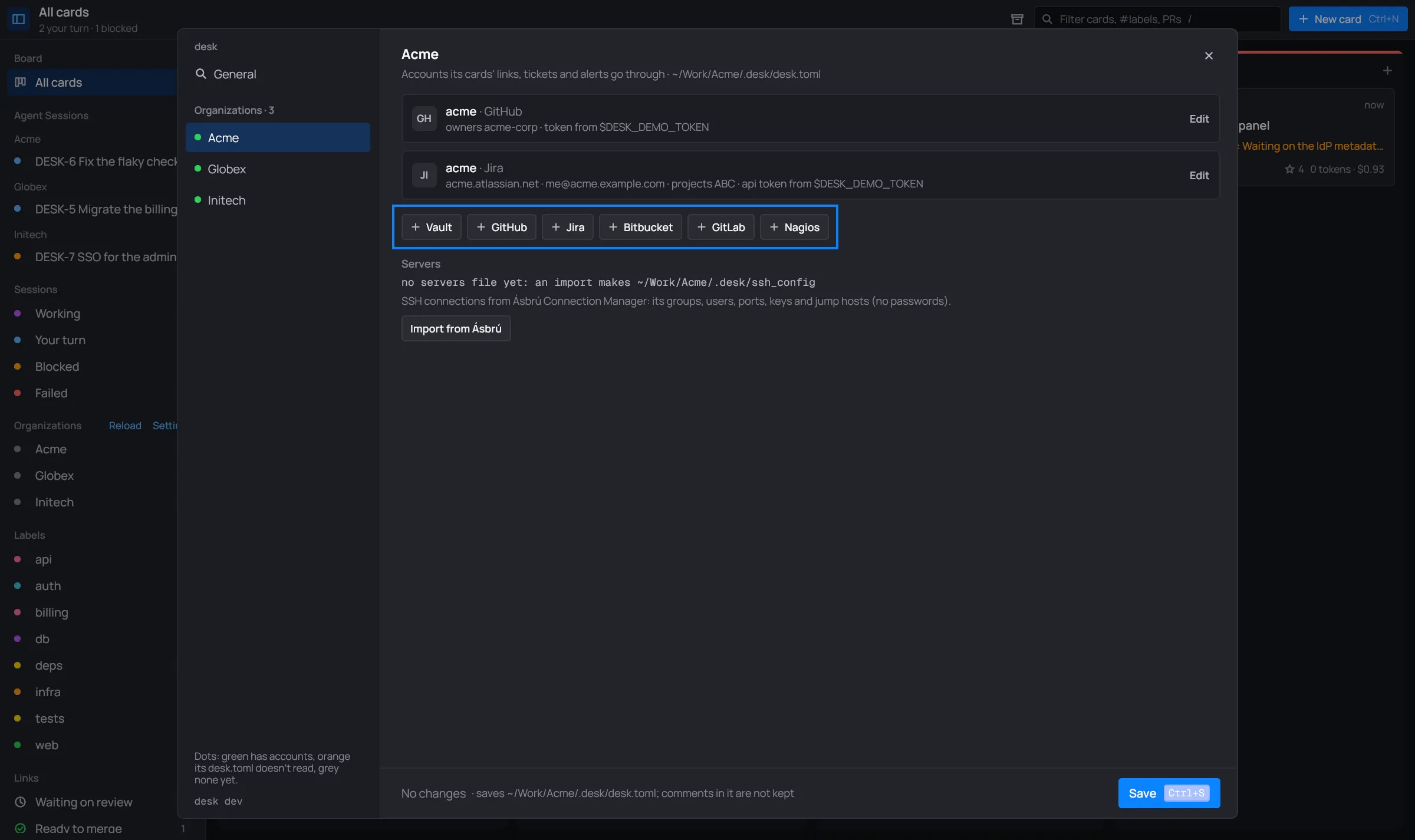
Section titled “Opening it”- Settings in the header of the sidebar’s Organizations section. It opens on the organization you’re looking at: the view’s, else the selected card’s, else the last one you used.
- The command palette has Settings, Open <org> settings for each organization, and Search folders.
The nav
Section titled “The nav”The left column lists the pages: General under desk, then every organization, a nested one
indented under its outer one. The dot says how the organization’s desk.toml reads:
| Dot | Means |
|---|---|
| green | it reads and has accounts |
| orange | it doesn’t read (a TOML error); the row says can’t read |
| grey | no accounts yet; the row says no accounts |
A page you changed says edited; a nested organization says in <outer>. The bottom of the nav shows the desk version that runs.
Saving
Section titled “Saving”The bar at the bottom counts the unsaved changes and says which file the page saves. You can move between pages: each keeps its edits until you save or discard.
- Save (Ctrl+S) writes every page you changed, the one shown first, and closes the dialog. A page that can’t be saved is shown with the reason in the bar.
- Discard drops every page’s changes.
- Esc or × with unsaved changes first turns the bar orange and asks; Esc again closes without them.

General
Section titled “General”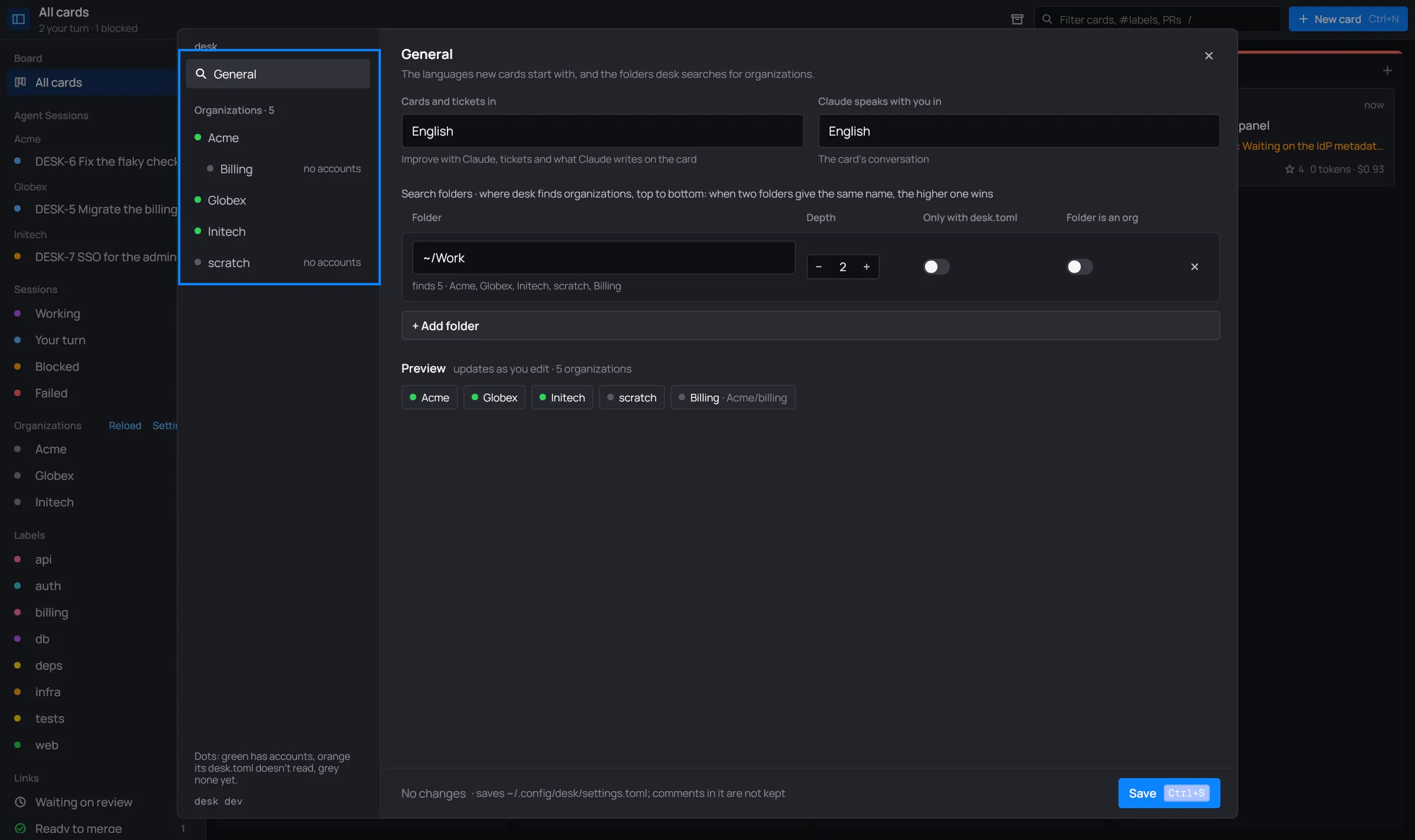
Languages
Section titled “Languages”
- Cards and tickets in: what Improve with Claude, tickets and what Claude writes on the card (status reasons, ticket titles, commit messages unless the repository says otherwise) are written in.
- Claude speaks with you in: the language of the card’s conversation.
Both are English until you change them.
Search folders
Section titled “Search folders”The folders desk searches for organizations, top to bottom: when two give the same name, the higher one wins. Each row has:

- Folder: a full path, or one from
~. - Depth: − and + from 0 to 6. Level 1 is the folder’s subfolders; deeper levels count only
folders with a
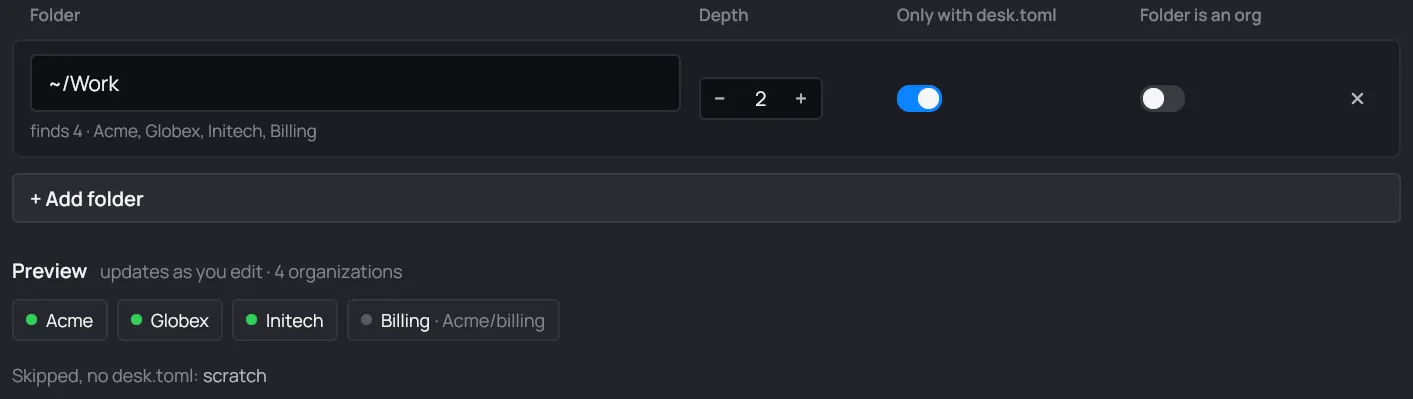
desk.toml. - Only with desk.toml: subfolders without a
desk.tomlaren’t organizations. - Folder is an org: the folder itself is an organization when it has a
desk.toml. - × removes the folder.
+ Add folder adds a row (depth 1, Only with desk.toml on).
The Preview under the rows scans the folders as you edit them and shows the organizations they give: a new one says where it comes from, a nested one shows its path. With Only with desk.toml on, the subfolders it leaves out are listed as skipped (Show all past six).
Save refuses a depth that isn’t 0 to 6, a path that isn’t a folder, and an empty list (desk needs one folder to find organizations). Saving the folders also reloads the organizations.
An organization’s page
Section titled “An organization’s page”The page’s title is the organization; under it, the path of its desk.toml. Each account is a
card: its kind’s tile (GH, JI, BW…), its name and kind, and a line with where it points and where
its token comes from. Edit opens it; one is open at a time.
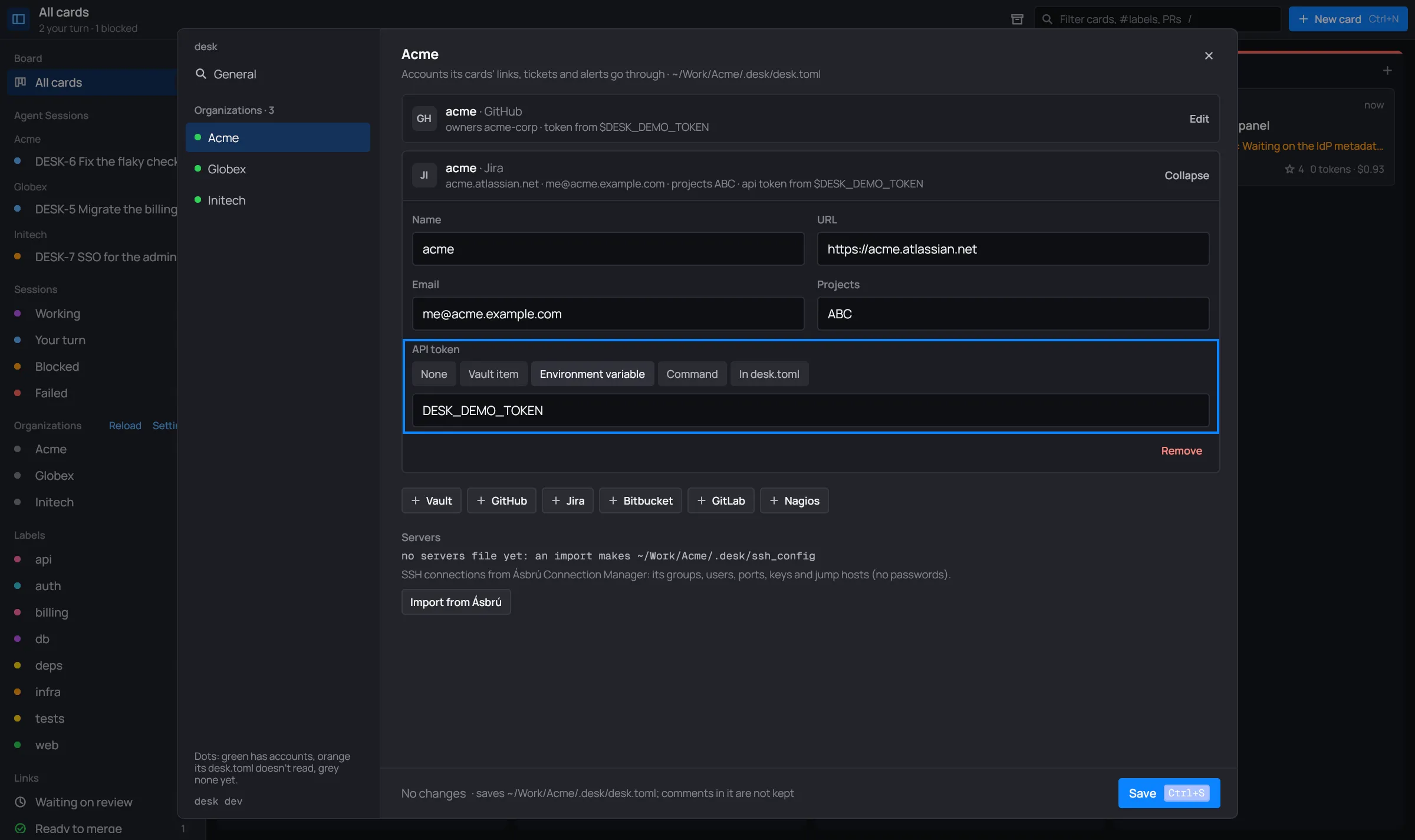
A card says New or Edited until you save. The buttons under the cards add an account of each kind:

What each kind’s fields mean, and where tokens come from, is in Accounts and Vaults. Under the buttons, Servers shows the organization’s servers file and Import from Ásbrú (Import from Ásbrú).
Save refuses a vault without a name, two vaults with the same name, and a token from a vault the organization doesn’t have.
When the desk.toml doesn’t read, its page says why in the bar (“… — fix it by hand”) and has
no Save: fix the file by hand, then open the settings again.