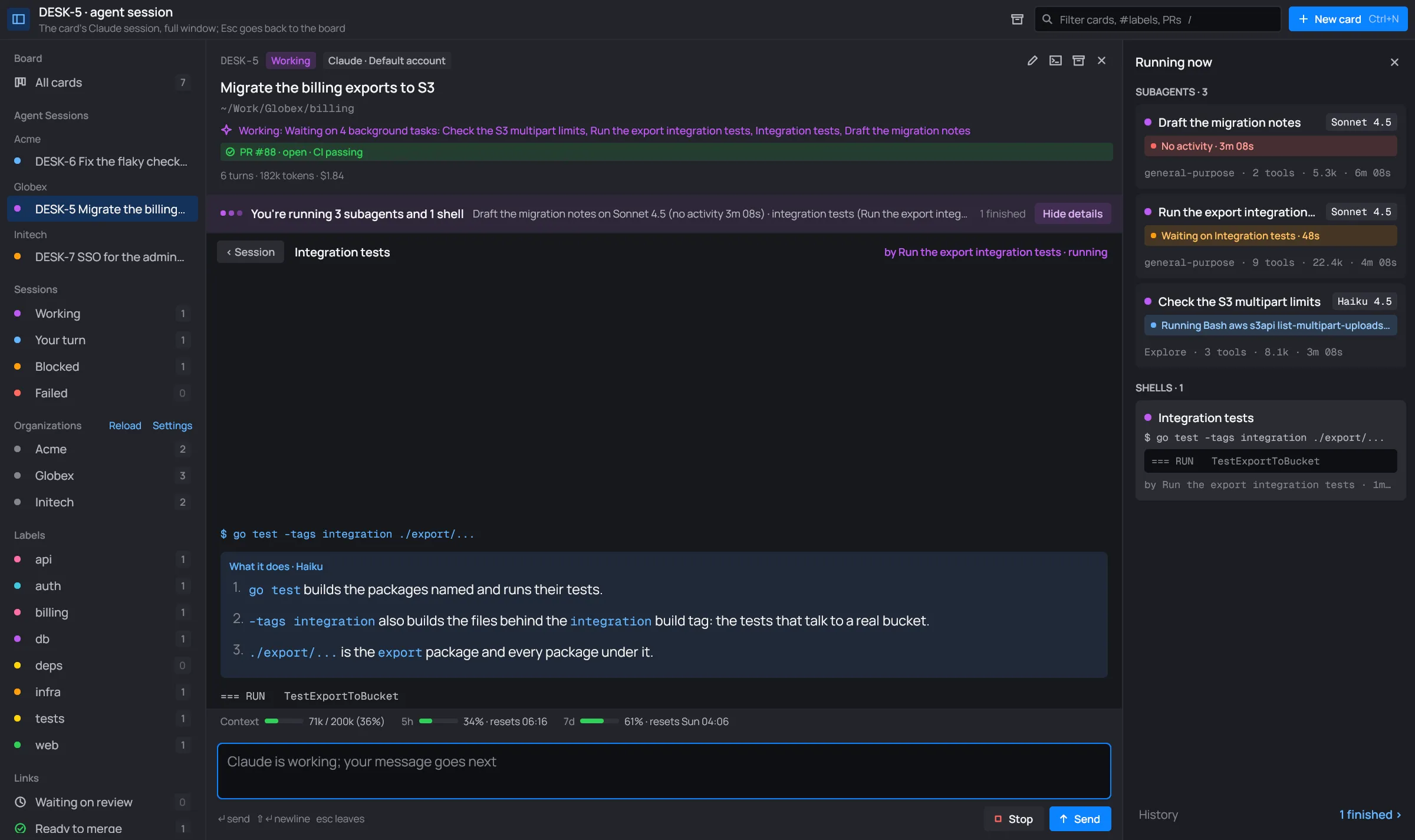
Shell commands
Running a command yourself
Section titled “Running a command yourself”A message that starts with ! is a shell command you run yourself, as in Claude Code. desk runs it
with bash in the card’s folder, right away: no Claude, no permission prompt. Its output streams
into the conversation. When it ends, Claude gets the command, its output, its exit code and how long
it took, and carries on by itself.
-
Type
!and the command in the message box. The box turns orange and warns you where it will run: “WARNING: runs directly in ~/Work/Globex/billing, now: no Claude, no approval”. Send becomes Run.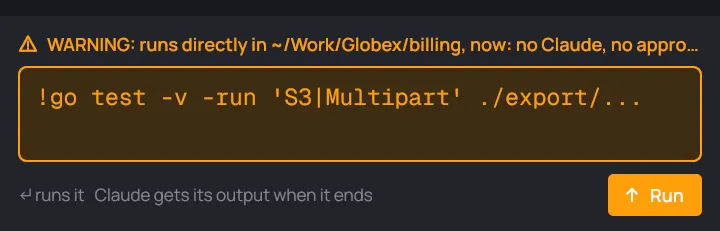
A !command, about to run. -
Press Enter or Run. A You ran box shows the command, “running…”, and its output as it comes, twice a second.
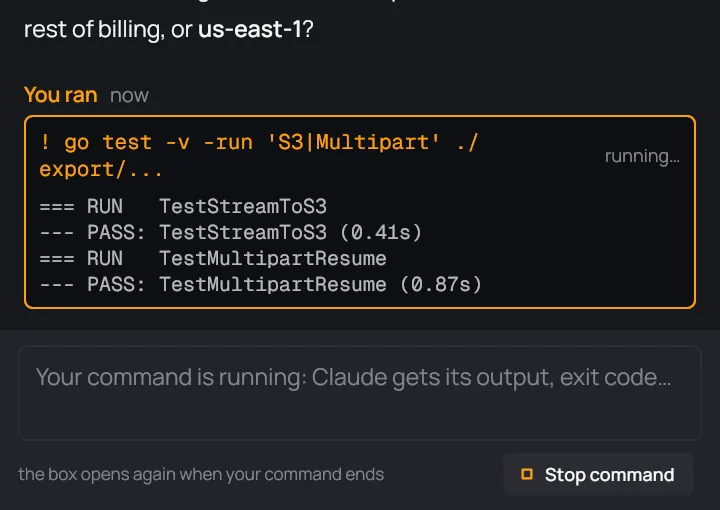
While it runs, the message box is locked. Stop command ends it. -
When it ends, the box says how it ended and how long it took, and that its output went to Claude. Claude takes it from there.
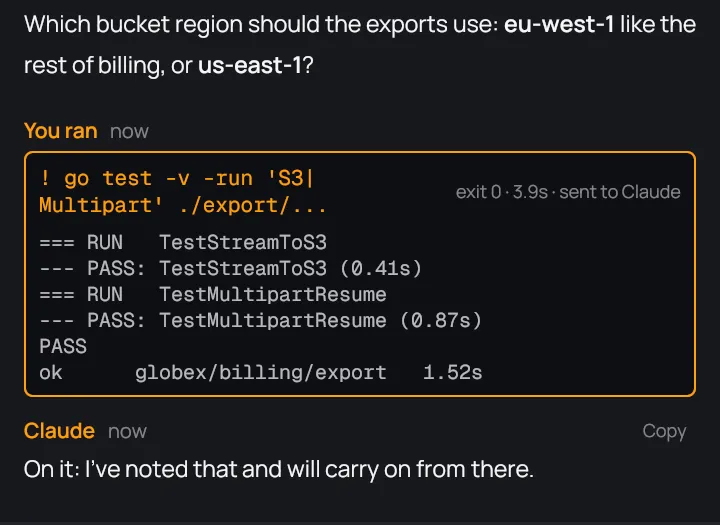
The command ended with exit 0, and Claude answered.
While the command runs:
- The card is working, on your command: its status line reads “Running your command: …”. A card in Backlog, To do or Blocked moves to In progress.
- The message box is locked until the command ends. You can’t send Claude anything meanwhile.
- Stop command ends it. A command that runs 30 minutes is stopped by itself.
When it ends, the box shows “exit 0”, another exit code, or “stopped”. desk keeps the end of long output. The box stays in the conversation.
Shell commands explained
Section titled “Shell commands explained”Claude describes every shell command it runs in plain words. The description shows under the command’s tool line.

For more, click Explain. Haiku takes the command apart, part by part, in the card’s folder and under its account. “Reading the command…” shows while it works. The answer stays under the command, and desk keeps it for every later use of the same command.

If Haiku can’t answer, the box says why and offers Try again.
A background shell’s own view (see Subagents and shells) asks Haiku by itself: its command, what it does, then its output.