
Questions and permissions
Sometimes Claude needs you before it can go on. It may ask you questions (Claude Code’s AskUserQuestion), or ask permission to run a tool. Either way the request shows as a box at the end of the conversation, just above the message box, where it can’t scroll out of view. The turn waits until you answer.
Your turn meanwhile
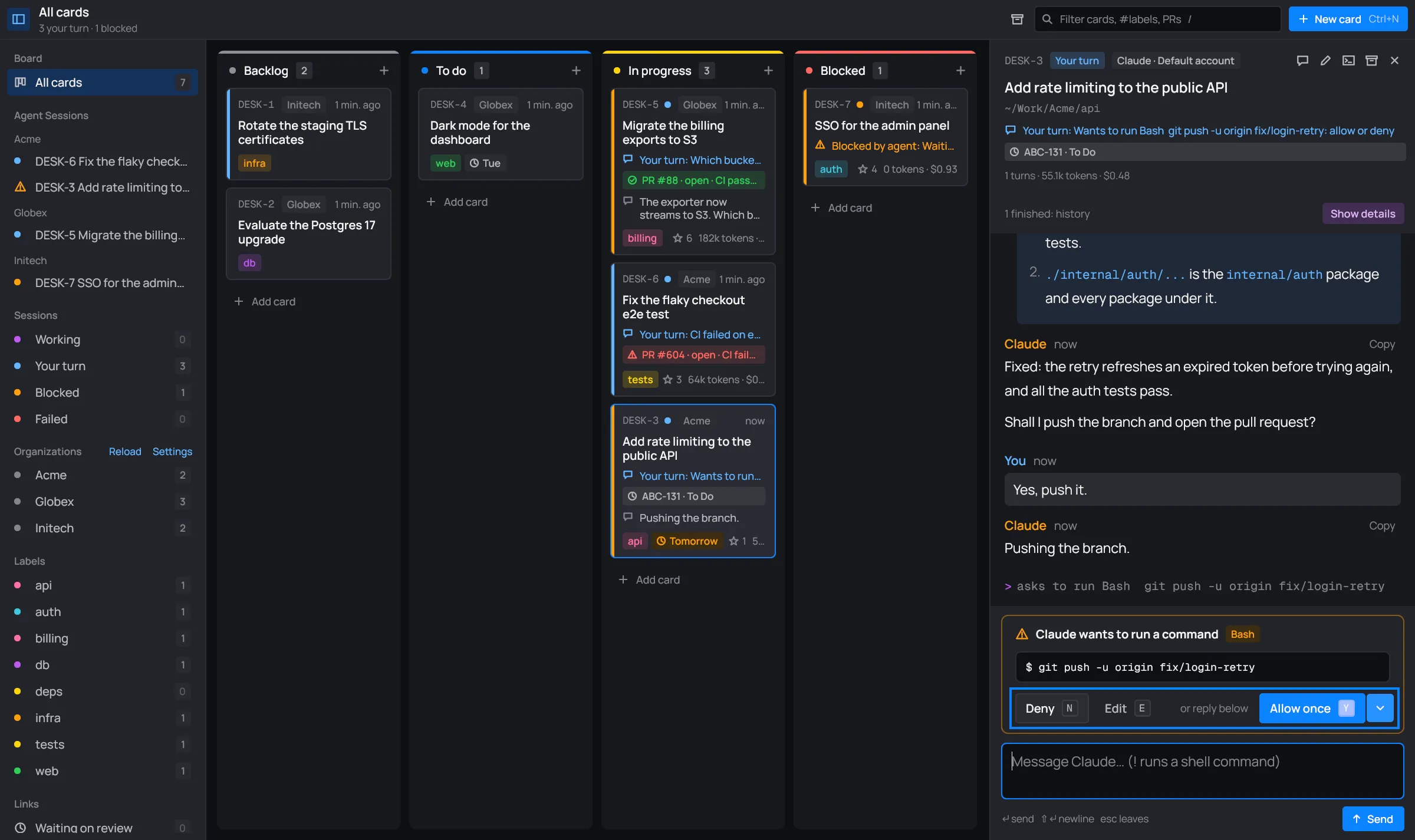
Section titled “Your turn meanwhile”While a request is open, the card is your turn. Its status line says what Claude wants, and desk sends a desktop notification unless you’re looking at the card.

Answering Claude’s questions
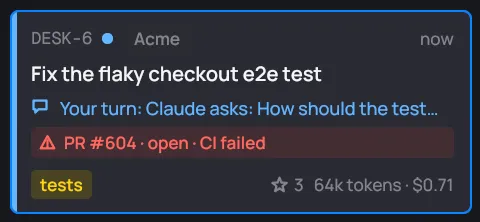
Section titled “Answering Claude’s questions”Claude’s questions come one at a time. The box’s header lists them as steps (1 · Waiting, 2 · Browsers) and says which one you’re on (“1 of 2”). The conversation keeps the questions and their options too.
-
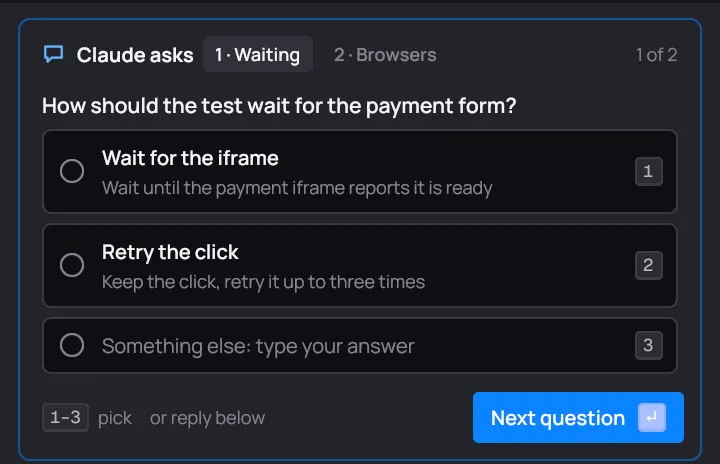
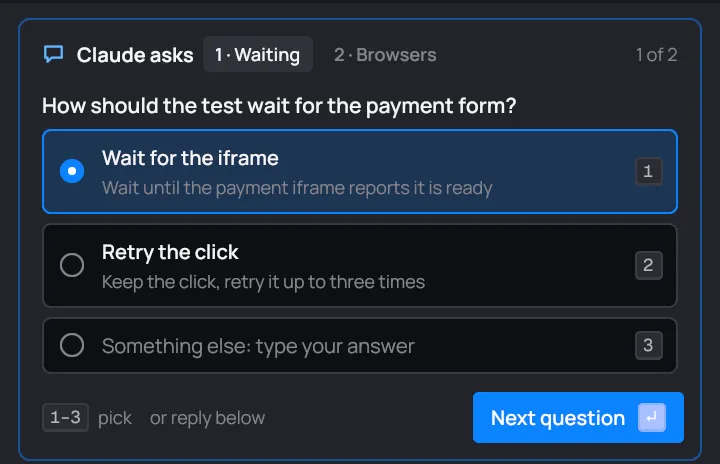
Pick an option: click it, or press its number. The last row, Something else, takes your own answer: click it or press its number, then type.
-
Press Enter or Next question to go to the next one. Back returns to the one before, and a click on a step in the header goes straight to it.
-
On the last question, press Enter or Send answers.
When a question takes several answers, it says Pick any and its options have squares. Pick as many as you like; a second click on one unpicks it.
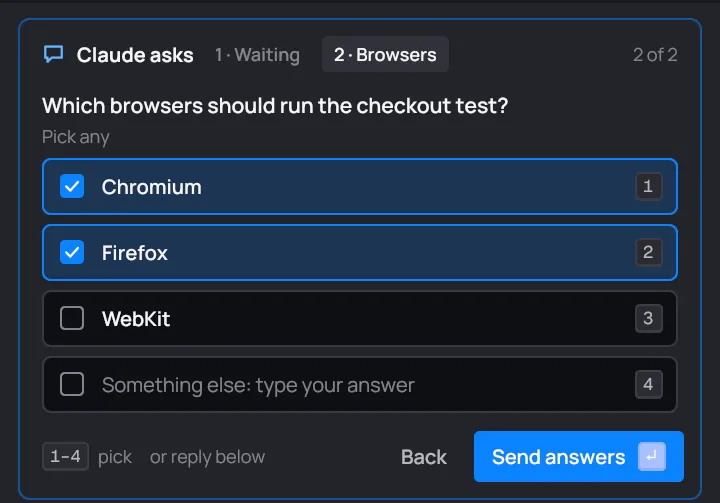
Every question needs an answer before the answers go. desk says so if one has none, and shows it. Once sent, your answers show in the conversation as “question → answer” lines, and Claude goes on.
Allowing or denying a tool
Section titled “Allowing or denying a tool”Claude runs with --permission-mode auto, so it only asks when Claude Code’s auto mode would ask:
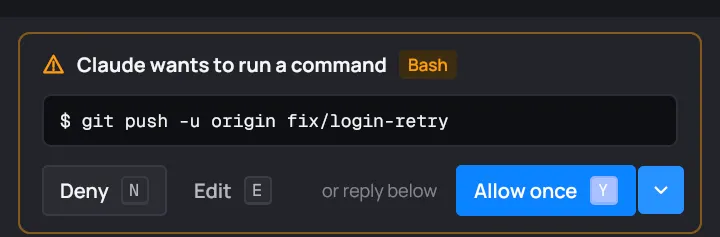
pushing to a remote, for example. The box says what Claude wants to run and names the tool.
| Do | Click | Key |
|---|---|---|
| Let it run this once | Allow once | Y or Enter |
| Refuse it | Deny | N |
| Change the command first (shell commands only) | Edit, then Allow as edited | E, then Enter |
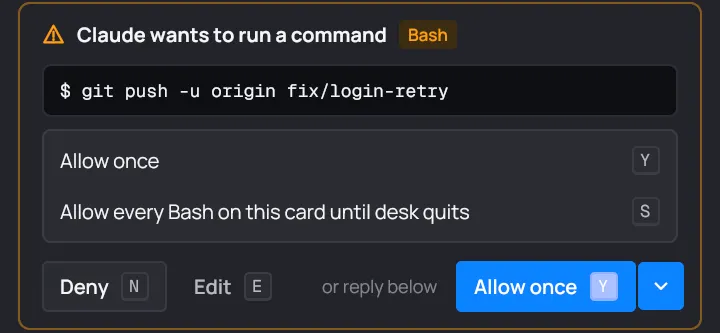
| Let every use of this tool through on this card | the chevron, then Allow every <tool> on this card until desk quits | S |
- Edit turns the command into a field. Change it, then press Enter or Allow as edited: Claude runs your version.
- Allow every lets that tool through on this card without asking, until you quit desk. The conversation notes each use desk allowed for you.
- Deny tells Claude you refused. It carries on without it.
The conversation keeps what you decided, as “Allowed: …”, “Allowed, edited: …” or “Denied: …”.
Answering in your own words
Section titled “Answering in your own words”Under every request is “or reply below”. Type in the message box and send instead of picking: Claude reads your message as the answer, and the request closes.
When nothing waits any more
Section titled “When nothing waits any more”A request belongs to its turn. If the turn ends, or Claude’s process stops, the box goes away.
If Claude was refused a tool it needs, the card goes to Blocked with “Needs permission for <tool>: open in terminal”. Open its terminal to allow it there.