
Card tools
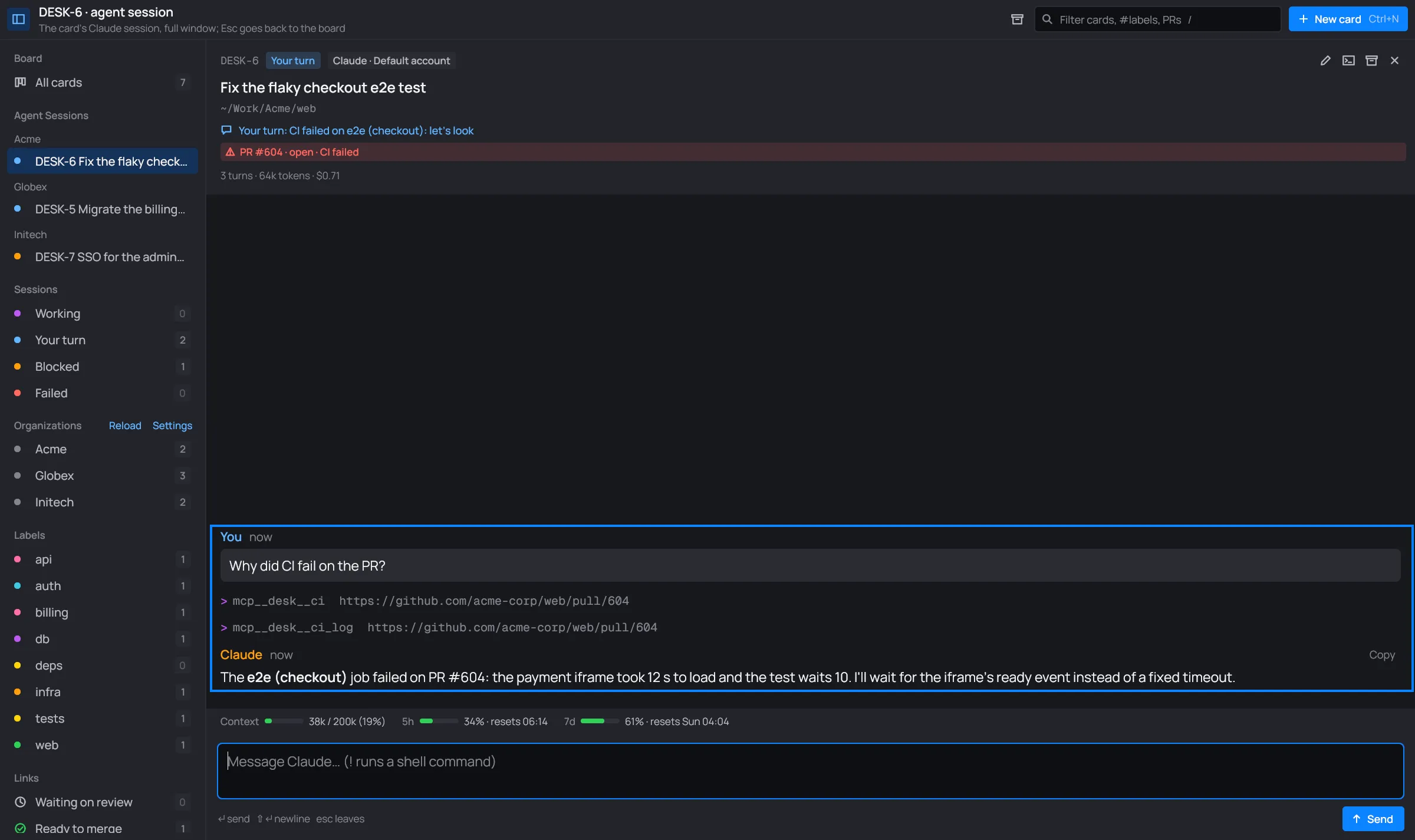
Every card’s Claude session has desk’s own tools, mcp__desk__*. They read the card’s
organization through the same accounts desk uses: its Nagios, its trackers, its links and its
CI. They only read, so they’re allowed without asking.

The tools
Section titled “The tools”| Tool | Arguments | What it gives Claude |
|---|---|---|
alerts |
none | the organization’s monitoring alerts now (its [[nagios]]): state, host or service, since when, acknowledged or not, which Nagios, the check’s output |
tickets |
none | your open tickets assigned in the organization’s trackers (Jira, GitHub, GitLab): project, key, status, title, URL |
link |
url (optional) |
a ticket’s, issue’s, pull or merge request’s or commit’s state now (review, CI) and, for Jira and GitHub, its title and description. Without url, every link on the card |
ci |
url (optional) |
the CI of a pull or merge request or commit: GitHub Actions workflow runs or GitLab pipelines, with every job’s status and id. Without url, the ones linked on the card |
ci_log |
url, job, bytes (optional) |
the end of a CI job’s log (the job id from ci), to see why it failed: 20,000 bytes unless bytes says otherwise, at most 200,000 |
url takes anything desk reads as a link: a GitHub, GitLab or Bitbucket URL, a Jira URL, or a
bare Jira key of one of the organization’s projects.
These are the same data as the Tickets, CI and
Alerts views. Nothing to set up: every card’s session has them, in its
panel and in its terminal, and each answers through the organization’s accounts. alerts says so
when the organization has no [[nagios]].
Alongside the organization’s own tools
Section titled “Alongside the organization’s own tools”The card tools add to your organization’s workflow; they don’t replace it. desk tells Claude that
when the organization already has its own way to do these things (its CLIs, scripts, MCP servers,
a skill, or what the repository’s CLAUDE.md says), Claude picks which to use and follows the
workflow when it works. When one of the workflow’s tools fails (not installed, not logged in, no
access, an error), Claude tries the desk tool for the same thing, and says which one it used and
why.
Locked vaults
Section titled “Locked vaults”A tool whose token is in a locked vault fails with that, and desk asks you to unlock the vault (see Vaults). Claude is told to try again after.