
The palette
The palette goes anywhere in desk from the keyboard: a card’s panel, a server, a running session, or an action like New card. Press Ctrl+K.
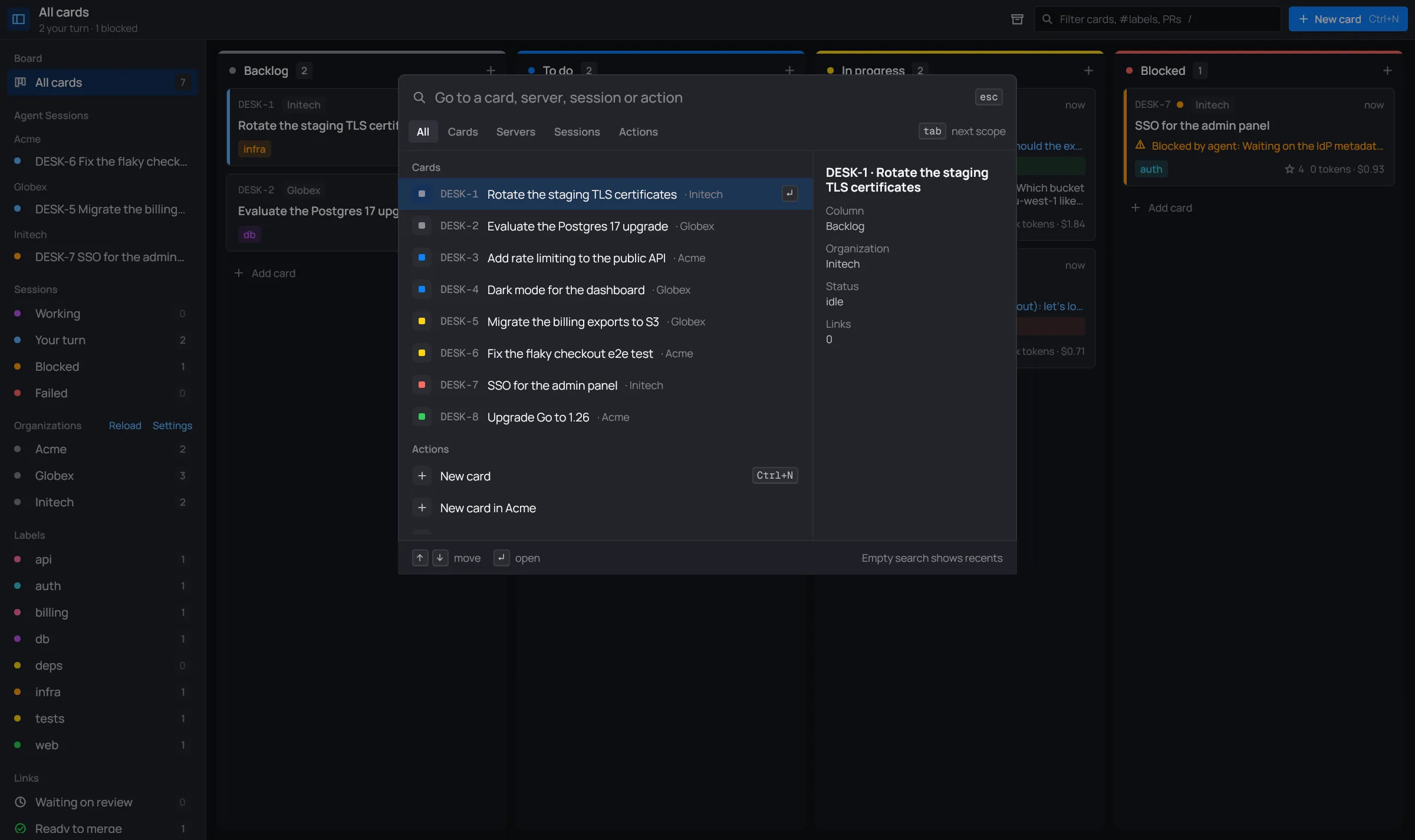
Ctrl+K works on the board and from a session’s message box. It doesn’t work while a dialog or the settings are open.
Find something
Section titled “Find something”Type to search. The palette matches with the same syntax as the board’s search, on each item’s key, title and what follows it (the organization, a server’s group). The best match comes first, as Top result, then the rest, grouped by kind. The words you typed are highlighted.
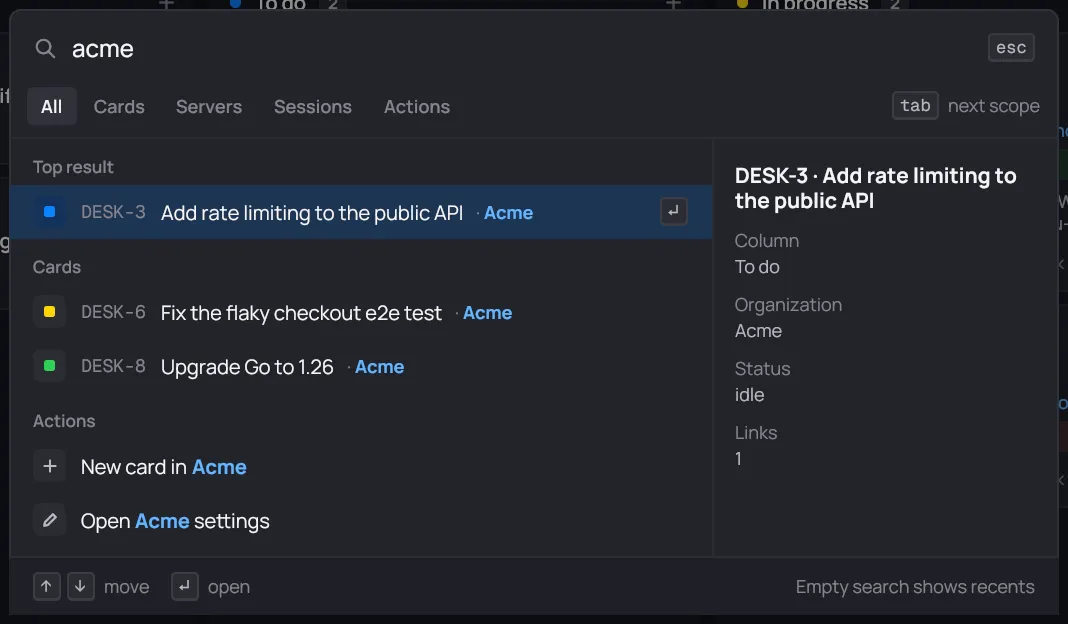
With the search empty, the palette lists the eight items you opened last under Recent, then everything else by kind.
| Key | Does |
|---|---|
| ↑ ↓ | move the selection |
| Enter | open the selected item |
| Tab / Shift+Tab | next / previous scope |
| Esc | close |
A click on an item opens it too. A click outside the palette closes it.
Scopes
Section titled “Scopes”The tabs under the search box narrow the list to one kind. Click one, or cycle through them with Tab.
| Scope | Lists | Opening one |
|---|---|---|
| All | everything below | |
| Cards | every card on the board, Done included, with its key and organization | opens its session panel |
| Servers | each organization’s infra Claude, and every server with its state (connected, with Claude, waiting, alert) | opens it in the servers workspace |
| Sessions | the cards whose session or terminal is running now | opens its full window |
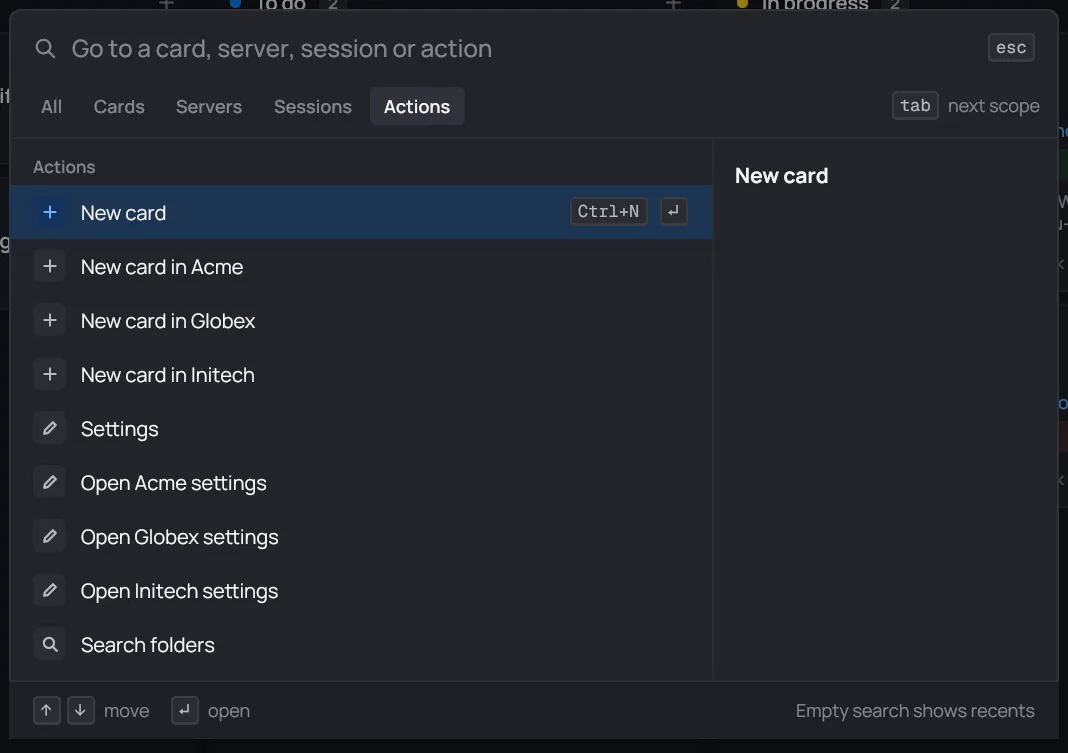
| Actions | New card, New card in each organization, Settings, Open organization settings, Search folders | runs it |
The preview
Section titled “The preview”The right side of the palette describes the selected item.
- For a card: its column, organization, status (with its reason) and how many links it has.
- For a server: its address, its group and its status.
Archived cards aren’t in the palette. Find them in the Done archive.