
Alerts
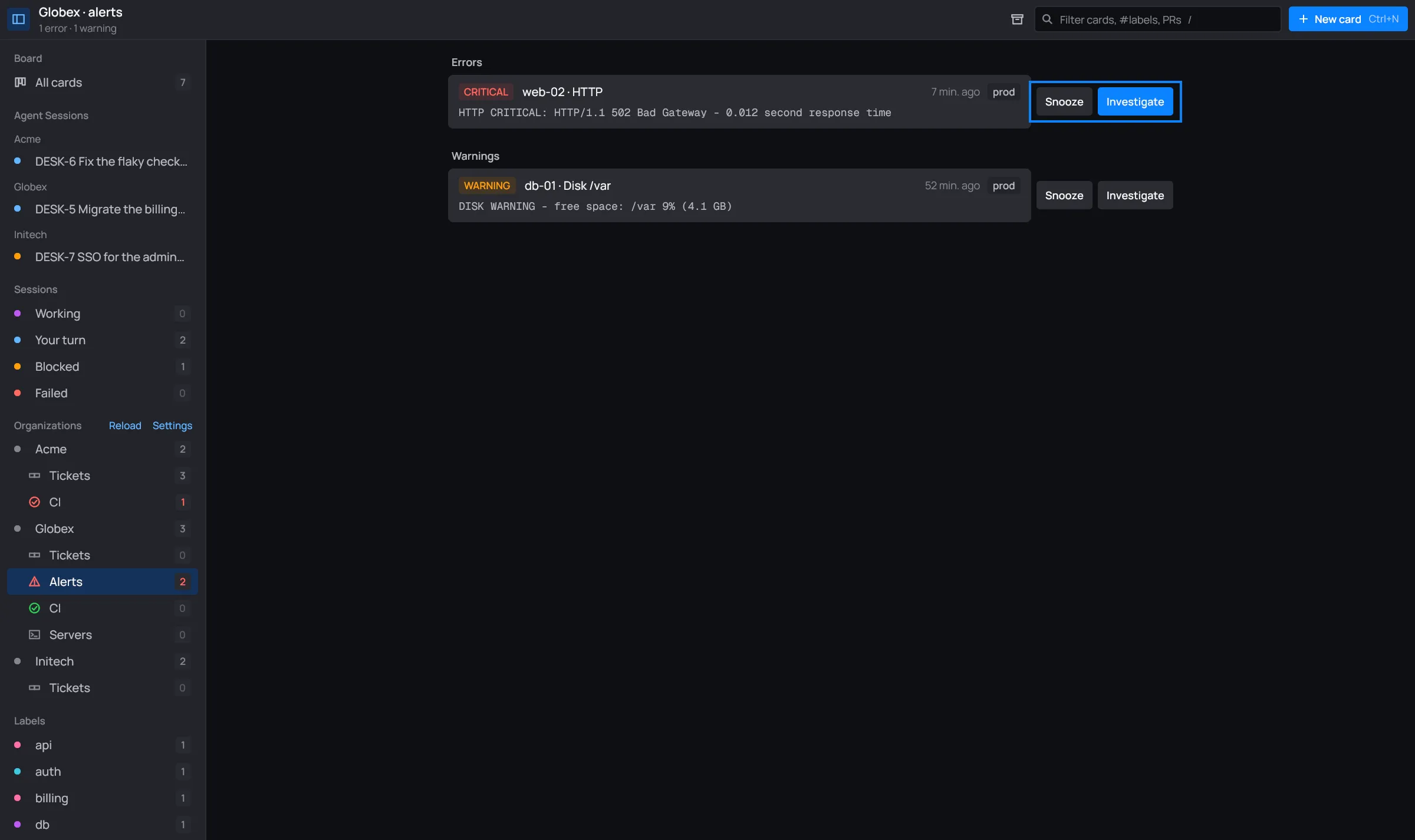
Under each organization with one or more [[nagios]] accounts, the sidebar has Alerts: the
hosts that are down or unreachable and the services in warning or critical, errors first.
Connecting Nagios
Section titled “Connecting Nagios”Add a Nagios account to the organization, in Settings or in its
desk.toml (see Accounts):
[[nagios]] # as many as the organization hasname = "prod" # what its alerts say they come from (default: its host)url = "https://mon.globex.example.com/nagios" # its web root, where cgi-bin/ isuser = "me" # the CGIs' login; the password is the tokenvault = "globex"item = "Nagios prod"desk reads Nagios Core’s JSON CGI (statusjson.cgi, which Nagios XI serves too) with basic or
digest auth, and falls back to a Nagios 3’s status.cgi pages. The alerts refresh with the
links, every 3 minutes, and when you Reload.
Reading the list
Section titled “Reading the list”
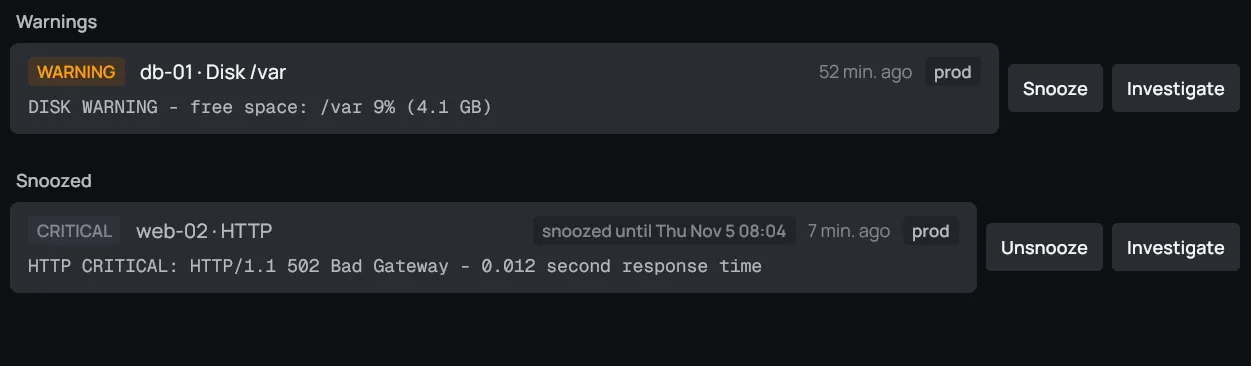
- Errors (critical, down, unreachable) come first, then Warnings, then Snoozed.
- An acknowledged alert is dimmed and says acknowledged.
- Clicking an alert opens it in Nagios.
- The search box filters by monitor, host, service and output.
The header counts them: 1 error · 1 warning, plus how many are acknowledged and snoozed. The sidebar’s Alerts row counts the ones nobody acknowledged or snoozed, in the color of the worst of them (red for an error, orange for a warning).
Investigate
Section titled “Investigate”
When the organization has servers (an infra workspace), each alert has Investigate. It makes the alert a card, titled Investigate CRITICAL web-02 / HTTP, in In progress, with the alert’s output and link in its notes. It opens the card’s session and asks its Claude to look into it: the monitoring and metrics, and the servers through the organization’s infra Claude, with read-only commands. Claude finds the likely cause and proposes a fix; nothing changes on the servers without your approval.
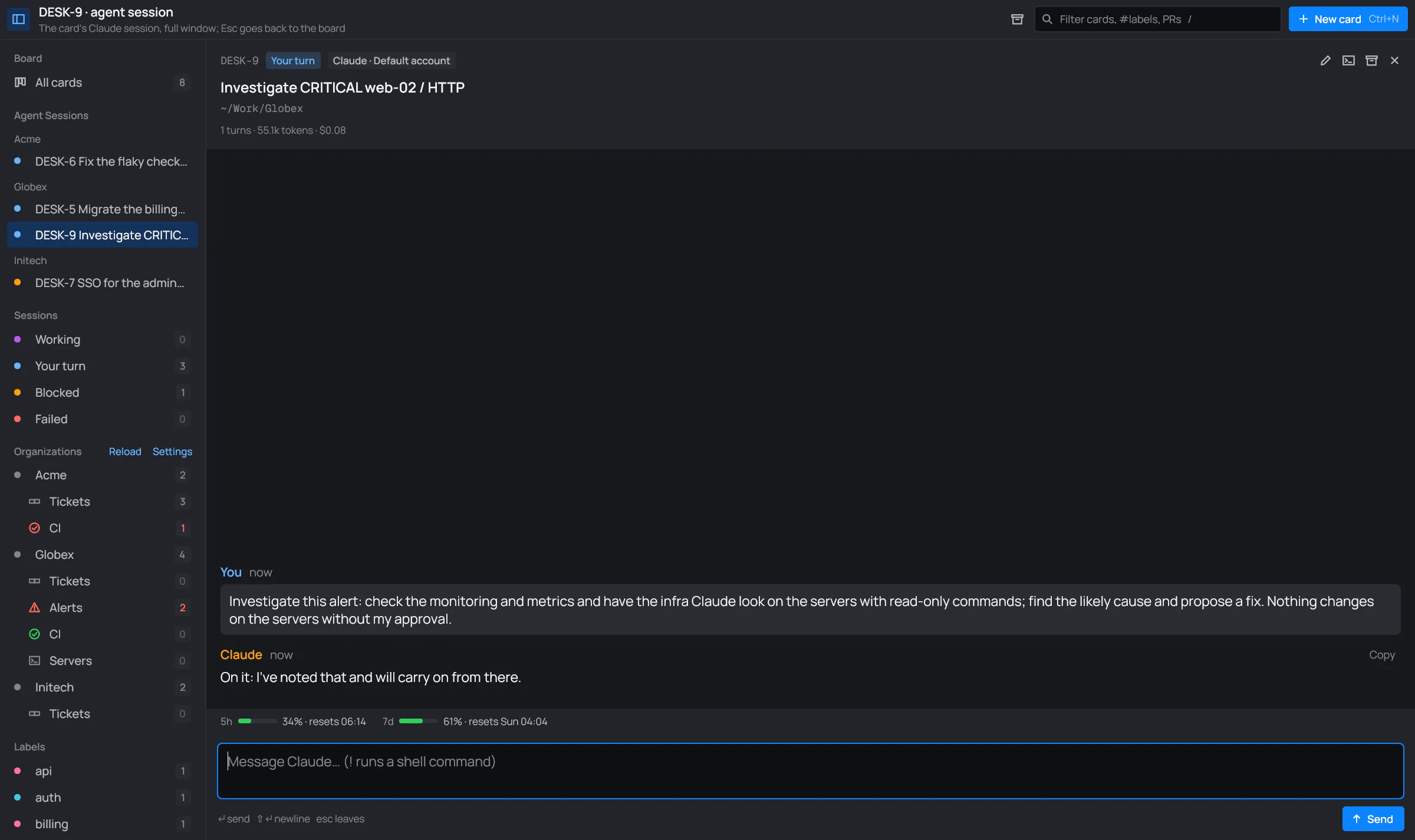
An alert that already has an open card (not in Done) opens that card instead of making another.
When the investigation ends with the alert left as it is on purpose (a container stopped by hand, an expected state), Claude says so, and the card offers to snooze the alert above its message box, with the same choices as below.
Snooze
Section titled “Snooze”Snooze hides an alert, and takes it out of the count, until a time you pick. Use it for an
alert you’ve looked into and are leaving as it is. desk keeps snoozes next to the board
(snoozed.json); Nagios isn’t told.
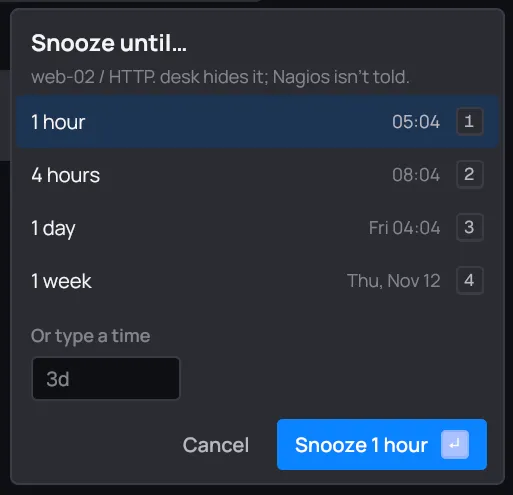
- Click 1 hour, 4 hours, 1 day or 1 week, or press 1 to 4.
- Or type your own time under Or type a time:
2h30m,3d,1w. desk reads it as you type and says until when; Enter or Snooze takes it. - Cancel closes it.
A snoozed alert moves to Snoozed, says until when, and gets Unsnooze to bring it back before then.
A card’s Claude can read the same alerts with the card tools.