
Import from Ásbrú
Coming from Ásbrú Connection Manager? desk can read its connections and add them to an organization’s servers file: its groups, users, ports, keys and jump hosts. Passwords stay behind.
-
Open Settings (next to Organizations in the sidebar) and pick the organization.
-
Under its accounts, the Servers part says where its servers file is, or that there’s none yet and where an import will make it.

Acme has no servers file yet. -
Click Import from Ásbrú. desk lists Ásbrú’s top-level groups.

Pick the group that is this organization’s, or all of them. -
Click the group that is this organization’s (Prod here), or All of Ásbrú. Cancel closes the list.
A toast says what happened, with the first few skipped hosts:

desk then reads the organization’s servers again, so its Servers row shows up in the sidebar at once:
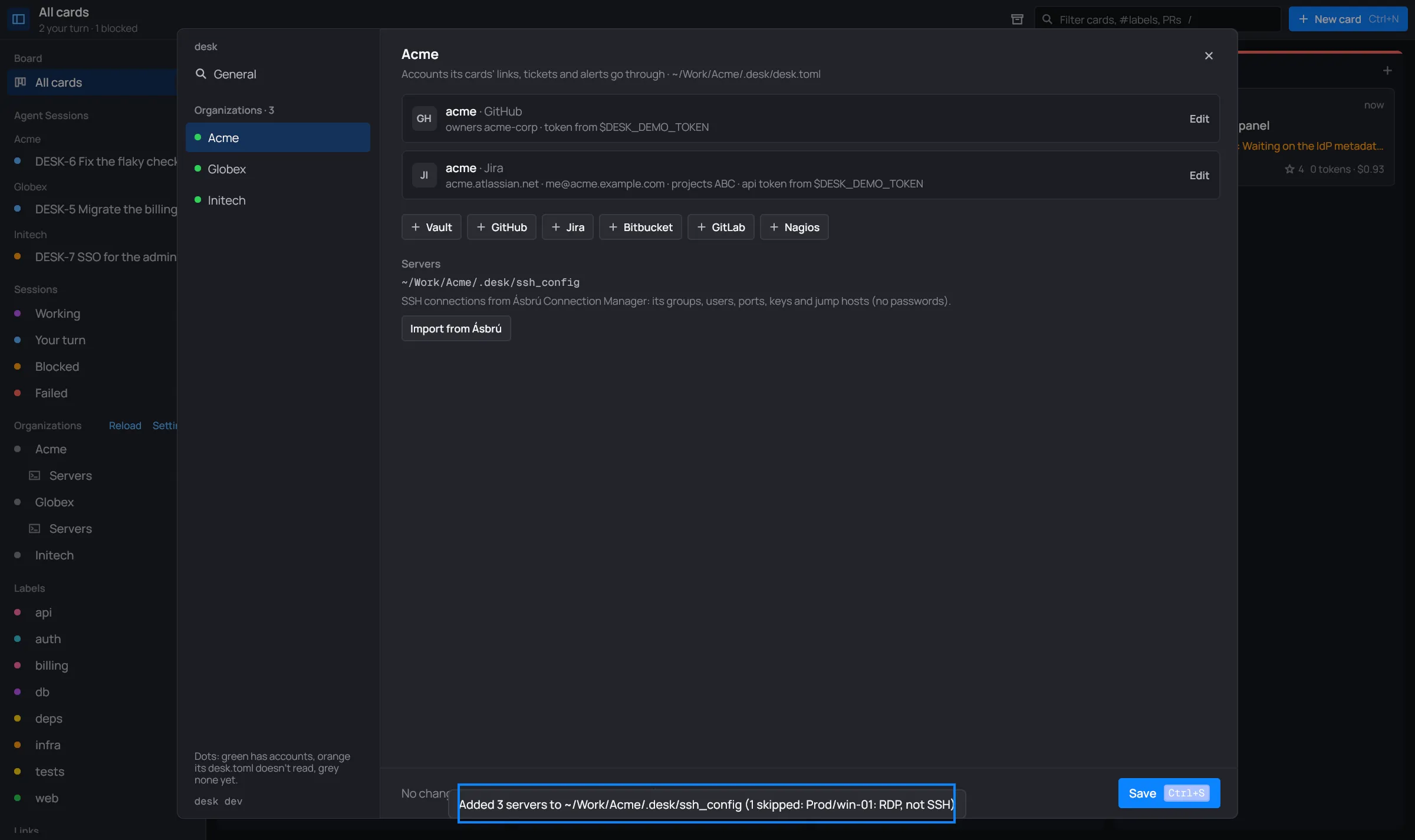
If nothing was new, the toast says “Nothing to import from Ásbrú (N skipped)”. If desk can’t read Ásbrú’s file, it says “No Ásbrú connections: …”.
desk servers import-asbru -org ~/Work/Acme -group Prod # add Prod's hosts to Acme's servers filedesk servers import-asbru > ssh_config # or just print the filedesk servers import-asbru [-org DIR] [-group PATH] [FILE]-org DIR: add the hosts to that organization folder’s servers file. It prints “N servers added to …” when done. Without-org, the file’s text goes to standard output.-group PATH: only the hosts in that Ásbrú group. A path:Prod/Web.FILE: another file to read instead of Ásbrú’s own, such as an export from its tree. It goes last, after the flags.- Skipped hosts are listed on standard error:
skipped Prod/win-01: RDP, not SSH.
What it brings
Section titled “What it brings”For each SSH connection:
- Its address, user (for a key login, the key’s user), port (unless it’s 22) and
key (
IdentityFile). A key login with no fallback also getsPreferredAuthentications publickey. - Its description, as
#@ desc(its first line; Ásbrú’s default “Connection with ‘…’” is left out). - Groups become
#@ grouppaths, relative to the group you picked. Hosts right in that group, or in no group, go under#@ group servers. - Jump hosts become hidden
Hostblocks (#@ hidden) that the host reaches throughProxyJump. A SOCKS proxy becomes aProxyCommand nc -X 5 -x …. Ásbrú’s global proxy or jump settings apply when the connection has none of its own. - Its ssh options become their config keywords:
-X,-Y,-A,-C,-4,-6,-g,-o Key=Value,-L/-R/-Dforwards,-p,-i,-l,-J. Anything else stays as a comment in the host’s block (# Ásbrú ssh option not imported: …). - Names become ssh aliases: spaces turn into
-, and only letters, digits,.,_and-stay. Two hosts with the same name get the group’s name in front, then-2,-3…
The import starts with a comment line saying when and how many. Ásbrú’s Prod group, with a Web
group inside, a build host and an RDP connection, imported with -group Prod:
# Imported from Ásbrú Connection Manager on 2026-11-04: 3 servers.
#@ group WebHost www-01    HostName 192.0.2.31    User deployHost www-02    HostName 192.0.2.32    User deploy
#@ group serversHost build    HostName 192.0.2.40    User ci
What it leaves behind
Section titled “What it leaves behind”- Passwords. An ssh_config can’t hold them. Point
#@ passwordat your vault instead. - Connections that aren’t SSH (RDP, VNC, Telnet…): “RDP, not SSH”.
- Hosts written with Ásbrú’s variables (
<GV:…>,<ENV:…>) in the address, user or port: “uses Ásbrú variables (…)”. - Connections with no address: “no address”.
- Hosts the file has already, by name (Includes inside the organization’s folder count): “already in the servers file”. Importing again only adds the new ones.
The toast and the shell list which ones were skipped and why.
Where it writes
Section titled “Where it writes”- The organization’s servers file:
<Org>/.desk/ssh_config, or the[servers] fileof itsdesk.toml. - New hosts go at the end, after a blank line. What’s already there isn’t touched.
- desk makes the file if there’s none, readable by you only (
600). - With nothing to add, it writes nothing.