Editing a card
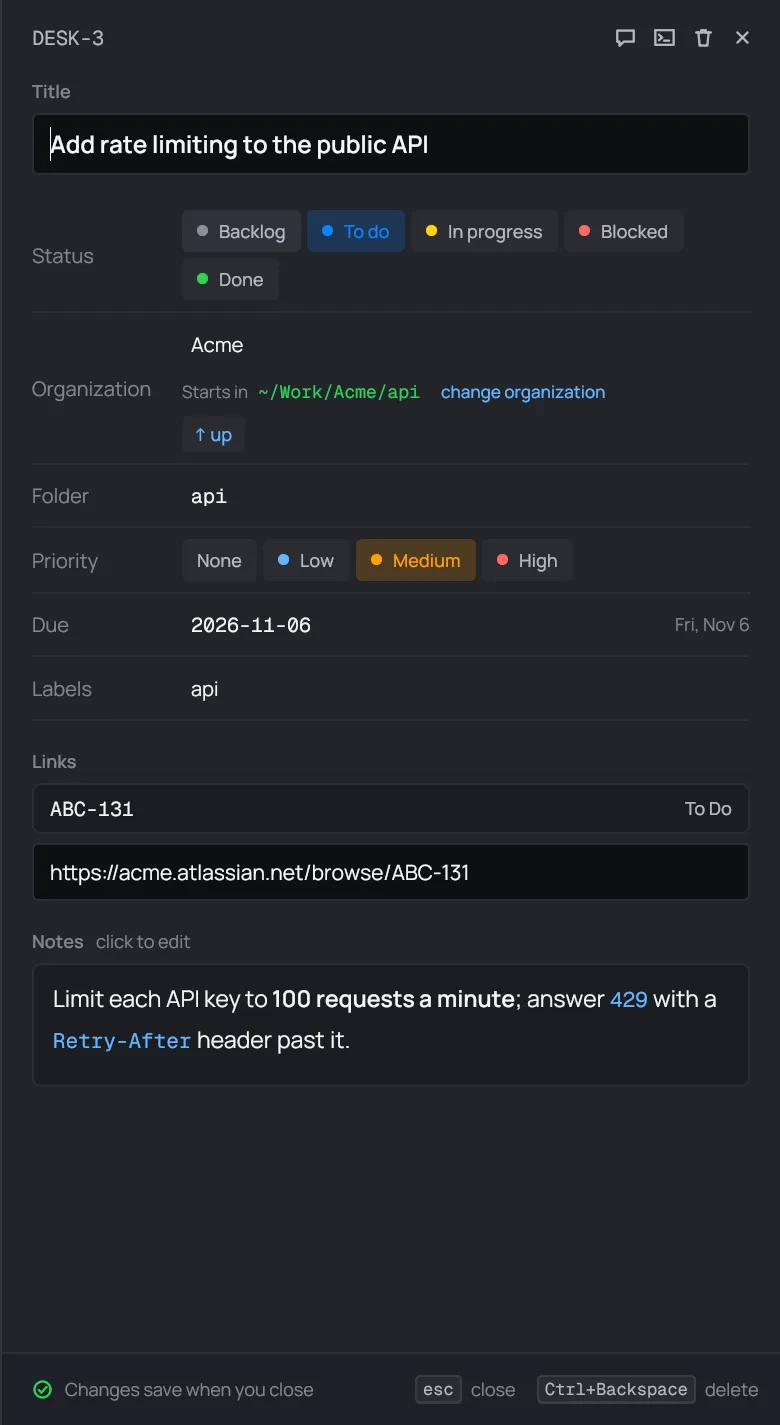
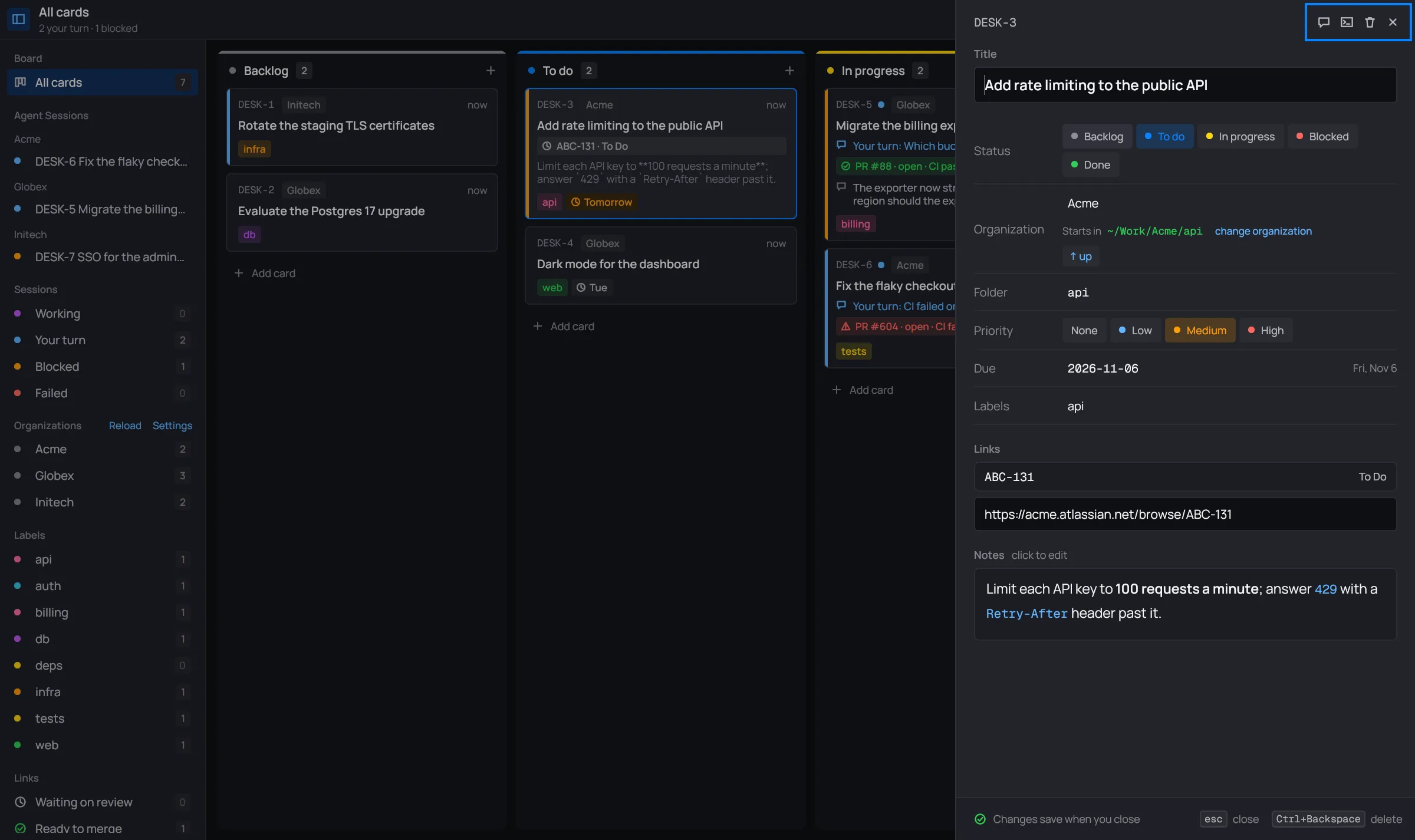
An existing card is edited in a panel on the right of the window, with the board still in view beside it.
Open it
Section titled “Open it”- Select the card and press E.
- Right-click the card and choose Edit card.
- Click the pencil in the card’s session panel.
Archived cards can’t be edited. Restore them first.
It saves when you close it
Section titled “It saves when you close it”There’s no Save button. Your changes are kept when the editor closes:
- Esc, or the × in its header;
- a click on the board beside it;
- Enter in a one-line field (title, organization, folder, due, labels), or Ctrl+Enter anywhere.
If a field doesn’t check out, the editor stays open and a toast says why: an empty
title, a due date that isn’t YYYY-MM-DD, an organization or folder that doesn’t
exist, or a link desk can’t read.
The header
Section titled “The header”
| Button | Does |
|---|---|
| Open session | saves, closes the editor and opens the card’s session panel |
| Claude Code terminal | saves, closes the editor and opens the card’s terminal |
| Delete (Ctrl+Backspace) | deletes the card. The toast’s Undo (Ctrl+Z) puts it back where it was, for six seconds |
| Close (Esc) | saves and closes |
The fields
Section titled “The fields”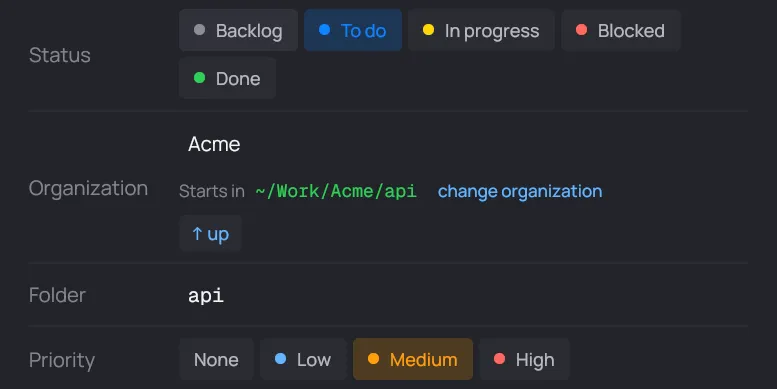
- Title: what the card is called, on the board and in its session.
- Status: the card’s column. Click another to move it there when the editor closes.
- Organization: the organization the session runs in. Type to filter, or pick one. Under it, desk shows where the session starts and the folder’s subfolders to step into. See New card.
- Folder: a folder inside the organization, or nothing for the organization’s own folder.
- Agent: only when the organization has Claude Code agents. See Team view.
- Priority: None, Low, Medium or High. It’s the colored stripe on the card’s left edge.
- Due: a date,
YYYY-MM-DD. Beside it, desk shows the day (“Thu, Nov 5”), and “overdue” once it’s past. - Labels: comma separated (
api, billing). - Links: the card’s links, each with its live state, then a field with their URLs, one per line. Add a URL or a Jira key there, or delete a line to remove that link. See Links.
- Notes: what the card is about, in Markdown. They read formatted. Click them to edit the text.