
Vaults
A vault is a password manager an organization’s tokens come from. desk speaks to it itself, in Go:
there’s no bw or passbolt CLI to install. Two kinds:
- Bitwarden / Vaultwarden (
kind = "bitwarden";"vaultwarden"works too) - Passbolt (
kind = "passbolt")
Adding a vault
Section titled “Adding a vault”In Settings, on the organization’s page, click + Vault, give it a name and pick its kind. The name is what tokens call it.
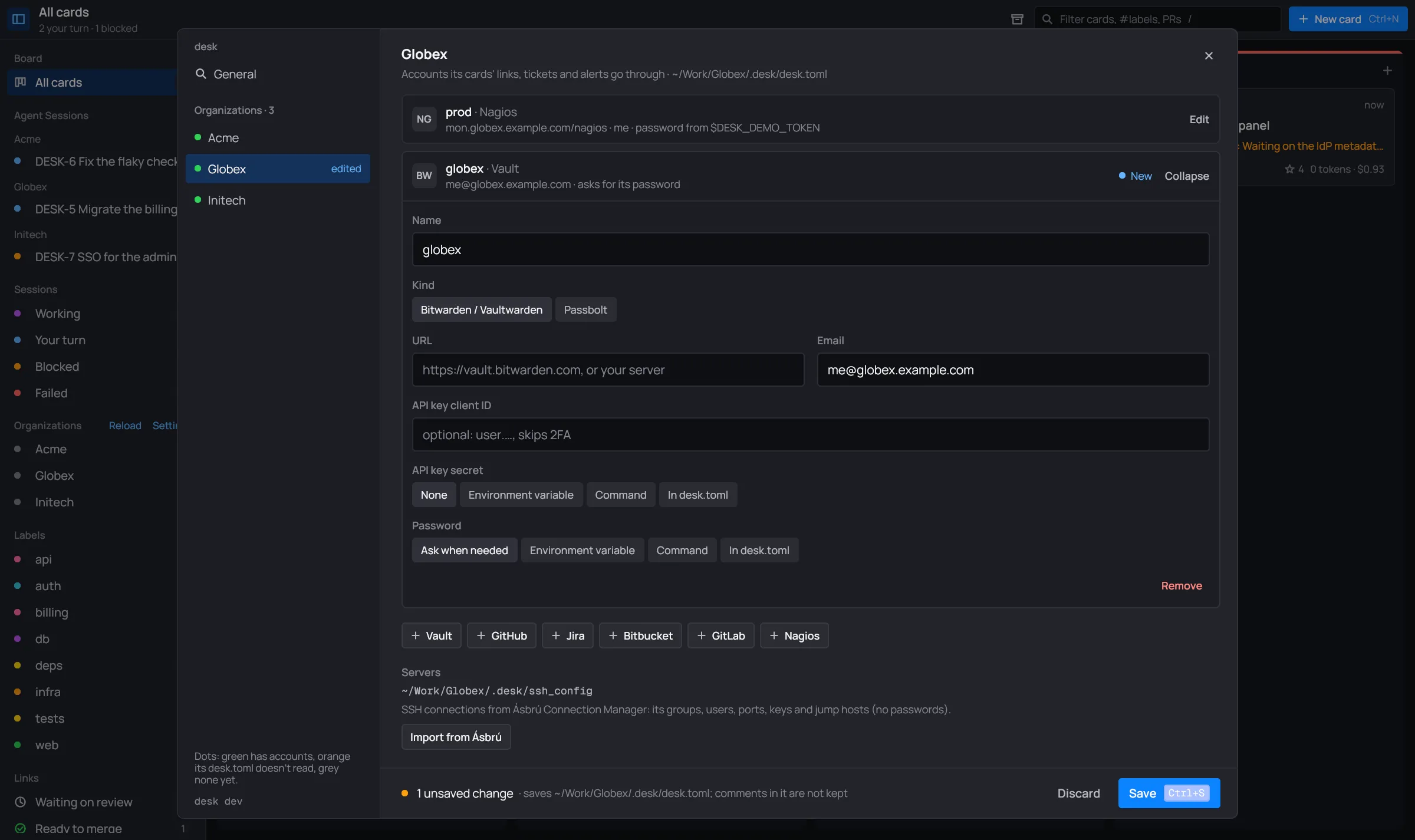
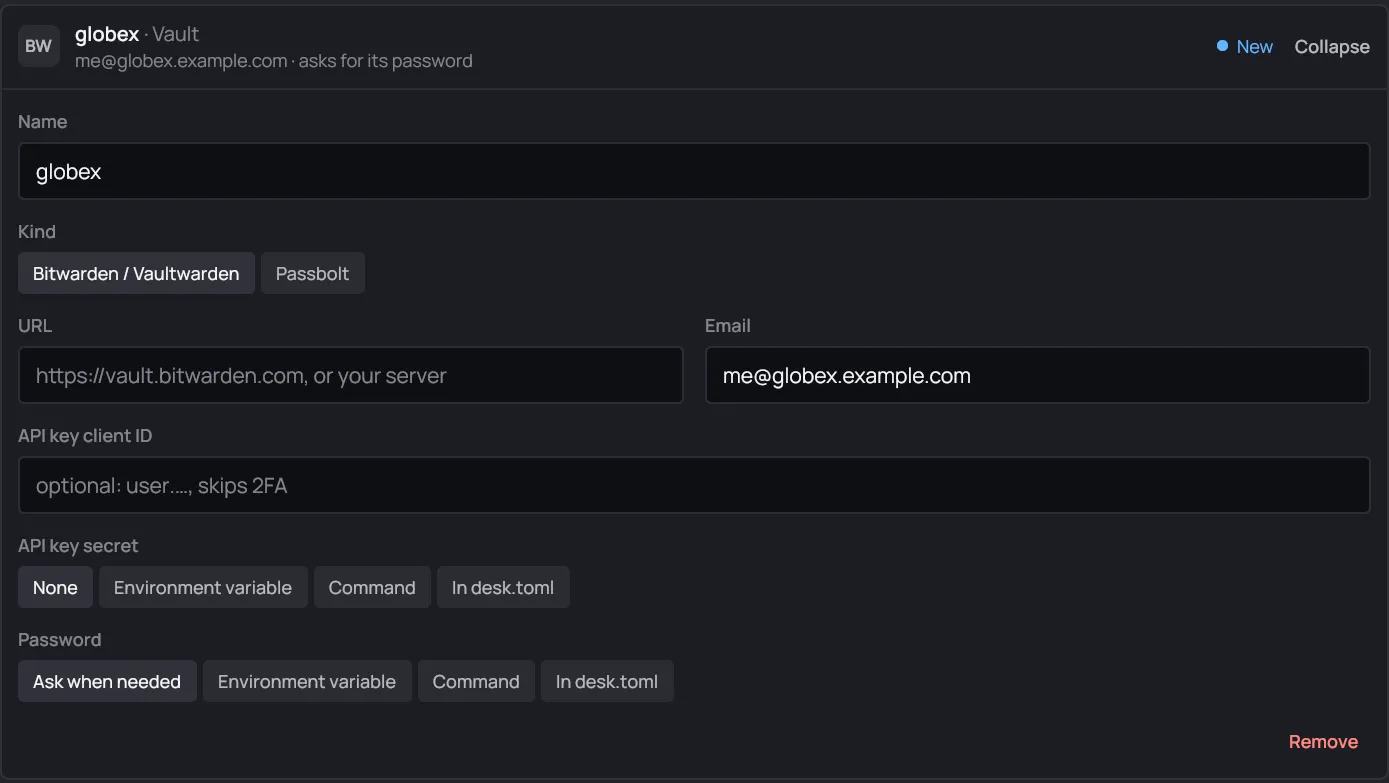
| Field | Key | Kind | |
|---|---|---|---|
| Name | name |
both | what tokens below call it, e.g. globex |
| URL | url |
both | Bitwarden: default https://vault.bitwarden.com, or your Vaultwarden; Passbolt: your server |
email |
Bitwarden | the account | |
| API key client ID | client_id |
Bitwarden | optional: user.…, the account’s API key, which skips 2FA |
| API key secret | client_secret |
Bitwarden | from a variable, a command or the file |
| go-passbolt-cli config | config_file |
Passbolt | a go-passbolt-cli config: server, key, passphrase and TOTP come from it; the fields above win |
| Private key file | key_file |
Passbolt | your armored private key; empty with a CLI config |
| Password | password |
both | the master password (Passbolt: the key’s passphrase): Ask when needed, or from a variable, a command or the file |
[[vault]]name = "globex"kind = "bitwarden"url = "https://vault.globex.example.com"   # a Vaultwardenemail = "me@globex.example.com"
[[vault]]name = "acme"kind = "passbolt"url = "https://passbolt.acme.example.com"key_file = "~/.config/passbolt/acme.asc"# password = { token_env = "PASSBOLT_PASSPHRASE" }   # else desk asks
A vault’s own secrets can’t come from a vault.
Using it for a token
Section titled “Using it for a token”On an account’s card, set its token to Vault item, pick the vault, and give the item’s name
(or id) and, optionally, its field: password (the default), username, notes, totp or a
custom field’s name.

With no vault on the page yet, the card says Add a vault to this organization first. In
desk.toml:
[[github]]owners = ["globex-org"]vault = "globex"item = "GitHub token"# field = "password"The master password
Section titled “The master password”When a link, a ticket list, an alert check or a card’s tool first needs a token from a vault whose password isn’t configured, desk asks for it:
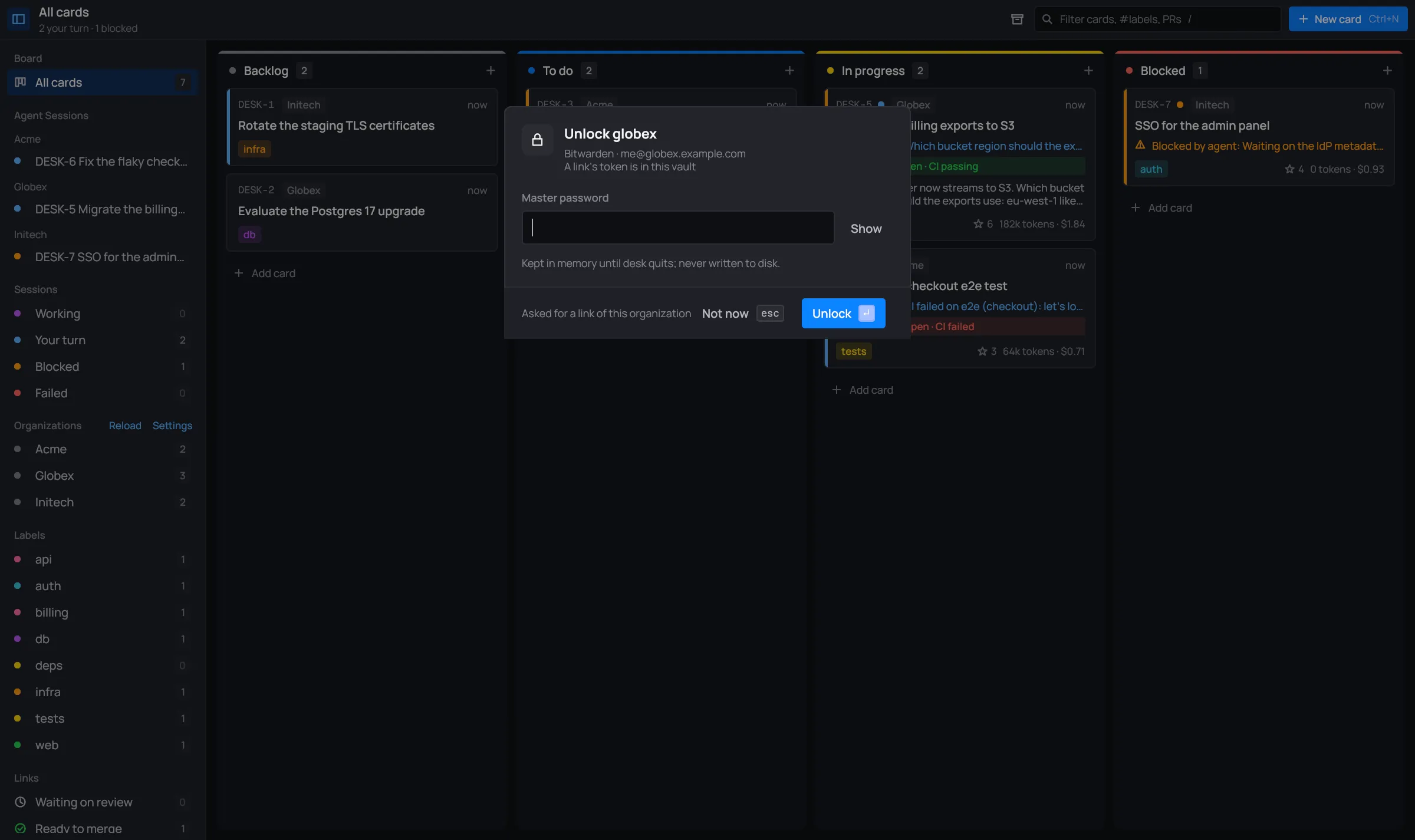
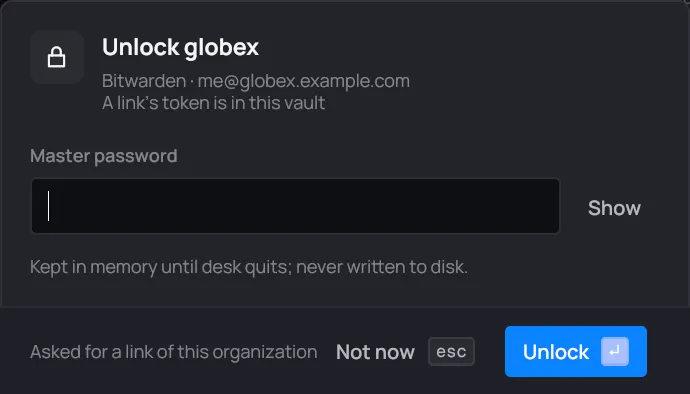
- Type the master password (Passbolt: the key’s passphrase). Show shows it as you type.
- Unlock (Enter) logs in; a wrong password is said under the field.
- Not now (Esc) puts it off. The links whose token is in it say locked: unlock <vault>, and the views say Locked: unlock <vault> for the rest.
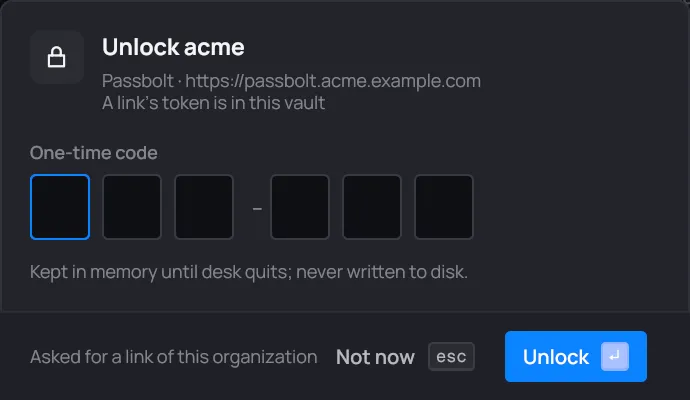
When the server asks for a one-time code (Passbolt’s TOTP), the dialog asks for it in six boxes. Enter in the password moves on to the code. A wrong or expired code says so: type the next one.
A vault you put off waits in the toolbar. Click it to be asked again:
Once unlocked, desk says Unlocked <vault> and checks the links and tickets again.
How long it’s kept
Section titled “How long it’s kept”- The unlocked vault stays open until desk quits. Its keys are kept in memory only; neither the password nor the code is written to disk.
- Items read from it are reused for 10 minutes, then read again from the open vault.
- A vault unlocked for one organization is unlocked for every organization that names the same account (same kind, URL, email and key or config file).
- Saving the settings or Reload forgets which vaults were waiting, so the next check asks again for any still locked.