
The full window
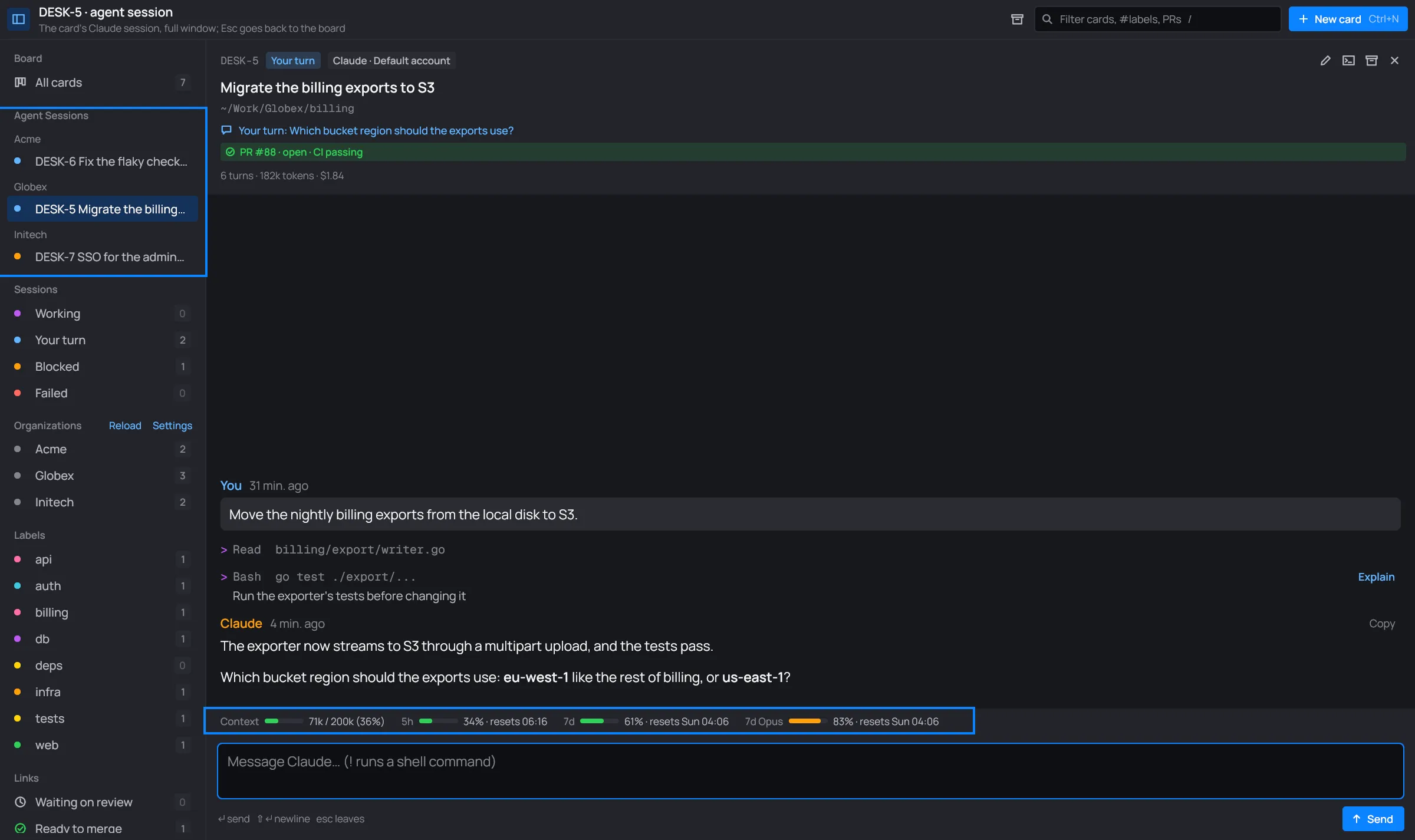
The full window shows a card’s session in place of the board: the same conversation as the panel, with room to read it. Its foot adds the context meter and the account’s plan limits.
Opening it
Section titled “Opening it”There are three ways:
- In the card’s panel, click Open full window (the first icon in its header).
- Right-click the card and pick Open full window.
- Click the card under Agent Sessions in the sidebar. While the card’s terminal is open, this shows the terminal instead.
The toolbar then reads “DESK-5 · agent session”. Press Esc or the × to go back to the board.
Agent Sessions
Section titled “Agent Sessions”Agent Sessions in the sidebar lists every card that has a session, grouped by organization when there is more than one. Each row has the card’s status dot, its key and its title. The row of the session you’re looking at is lit.
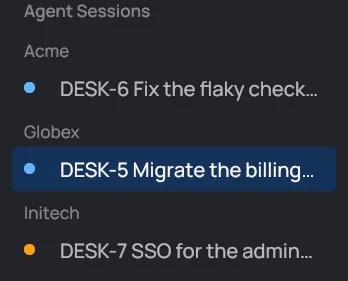
- A row with a warning sign is waiting on you: Claude asked a question or wants permission.
- A row with a green terminal icon has its terminal open.
- Cards in Done leave the list. They’re in the Done archive.
Context and plan limits
Section titled “Context and plan limits”The strip above the message box shows how full the session’s context is, and how much of the account’s plan you have used.

- Context is the tokens in the session’s context, out of the model’s context window.
- 5h is the plan’s 5-hour session limit.
- 7d is the week’s limit, over every model.
- 7d <model> is a model’s own weekly limit, when the plan has one.
Each limit says when it resets: a time for today, or a weekday and time. See Tokens, cost and limits for where these figures come from.
What else shows here
Section titled “What else shows here”- The team view, for a card that runs as an agent. See The team view.
- The rail of subagents and background shells, opened by Show details. See Subagents and shells.
- The servers: when the card’s Claude handed work to its organization’s infra Claude, the infra session shows beside the chat. Chat only in the header hides it, and Split with <org> servers brings it back. See Cards and servers.