
File changes
Every Edit Claude makes shows in the conversation as a diff, over the code’s own highlighting. A file Claude writes whole shows its size instead.
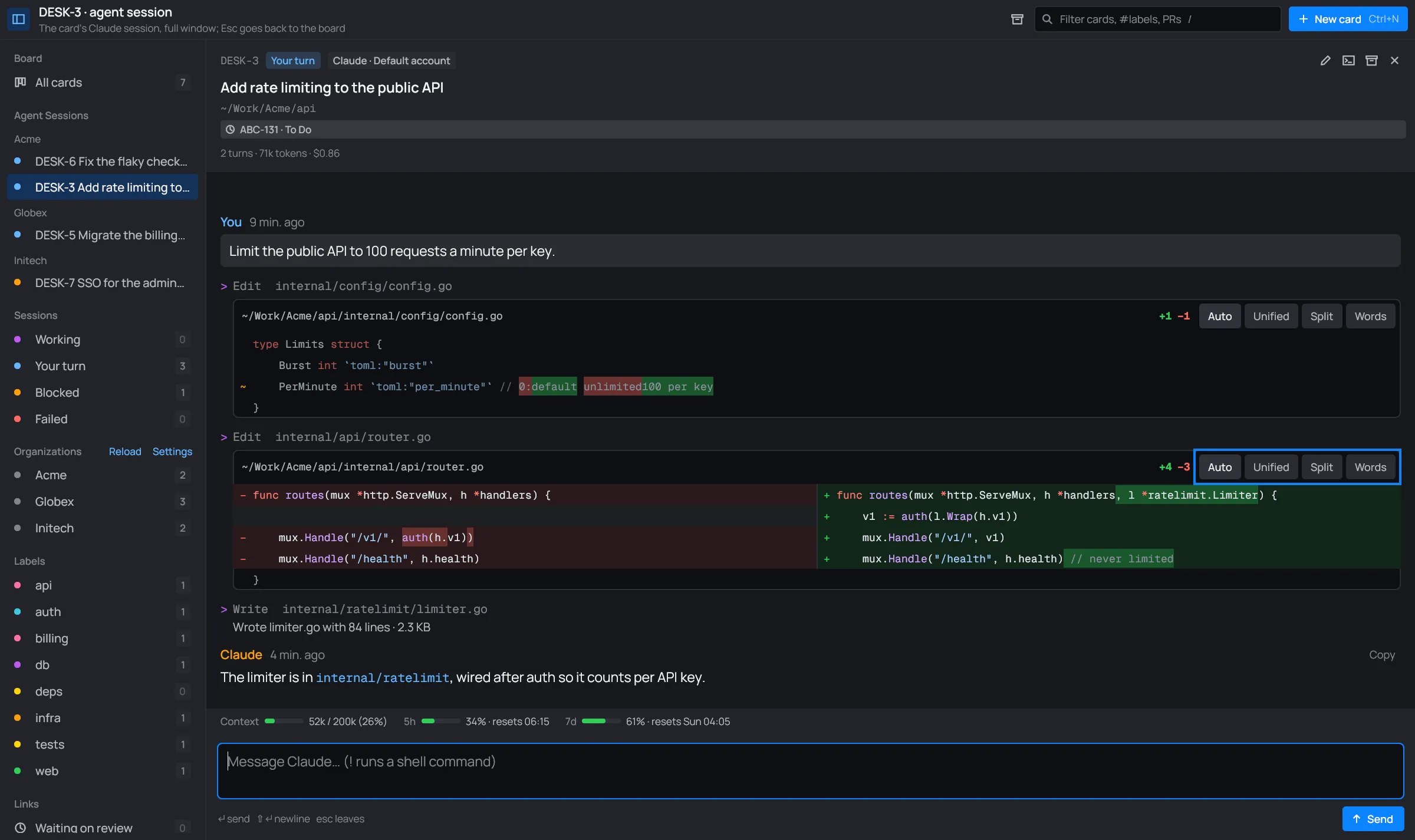
A diff
Section titled “A diff”A diff sits under its Edit tool line. Its header has the file’s path, how many lines it adds and removes (+4 −3), and the view switch: Auto, Unified, Split and Words.
The rows are drawn in the code’s colors, picked by the file’s extension. Removed lines have a red tint, added lines a green one. Inside a changed line, the words that changed are marked more strongly.

The views
Section titled “The views”| View | What it shows |
|---|---|
| Unified | The removed lines, then the added ones, one under the other. |
| Split | The old lines on the left, the new ones beside them on the right. |
| Words | Each edited line once, its old and new words marked in place (~). Lines only added or removed show as such. |
| Auto | The best view for each block of changes, picked by itself. |
Auto is where every diff starts. It picks per block of changed lines:
- Lines only added or only removed: Unified.
- Lines edited a little: Words, each old line merged with its new one.
- Lines rewritten: Split when the session has room for it (the full window), else Unified.

To see a diff another way, click a view in its header. The choice holds for that diff only.



A long diff shows its first 24 rows. Show all N rows opens the rest, and Show less folds it again. An Edit with several changes shows them in one diff, with ⋯ between them.
A written file
Section titled “A written file”When Claude writes a file whole (Write), the conversation doesn’t show its text. It shows its name, its lines and its size: “Wrote limiter.go with 84 lines · 2.3 KB”.
