The team view
A card can run its session as one of the organization’s agents (its Agent, set when you edit the card). That agent leads: it hands work to other agents as it goes. In the full window, such a card shows its session as a team.
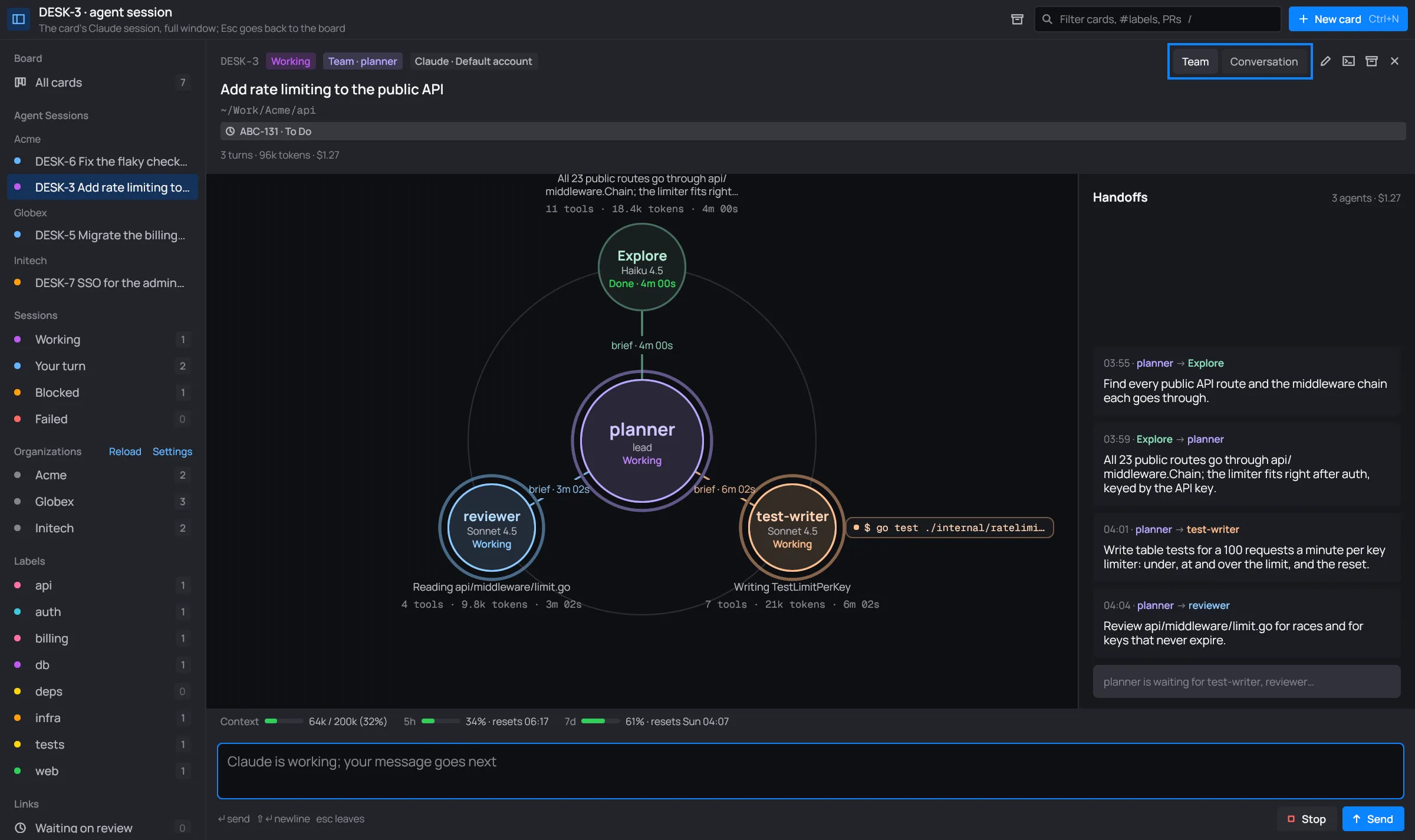
The header shows Team · <agent> beside the card’s status.
The helm
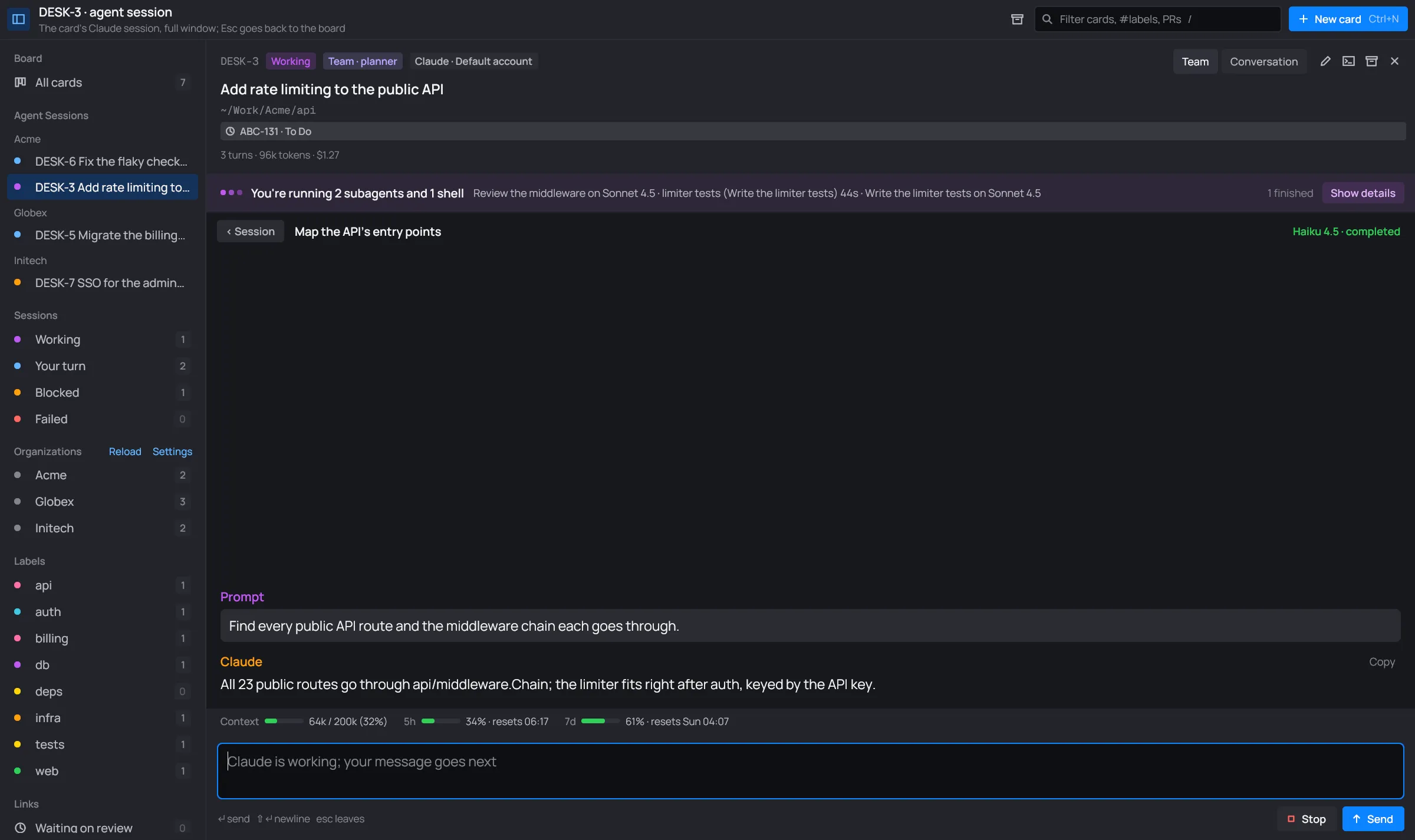
Section titled “The helm”- The lead sits in the middle: the card’s agent, with what it’s doing (Working, Your turn, or “Waiting on <agent>” while only its agents work). Click it to read its own conversation.
- Its agents sit on a ring around it, one per kind of agent, each in its own color. A node shows the agent’s name, its model and its state: Working, Waiting when it’s held (see Held subagents), Done · <time>, or how it failed. An agent that ran several times shows “×N” and its latest run.
- The spokes join each agent to the lead. A spoke is dashed while its agent works, and its label says how long the brief has been out.
- Under or over each agent: what it’s on, or what it found, then its tools, tokens and time.
- A running shell of an agent shows as a pill at its side, with its command and time. Click it to see its output.
A working node breathes, so you can tell at a glance who is busy. Click an agent to open its conversation: its brief, its messages and its result. ‹ Session brings you back.
Agents done for more than 20 minutes leave the ring. A chip at the foot, “N earlier agents”, brings them back, and “Hide N earlier agents” sends them away again.
Handoffs
Section titled “Handoffs”The column on the right lists the team’s handoffs in order, newest last: each brief the lead gave an agent, and each result an agent gave back. Each says when, and who handed what to whom.
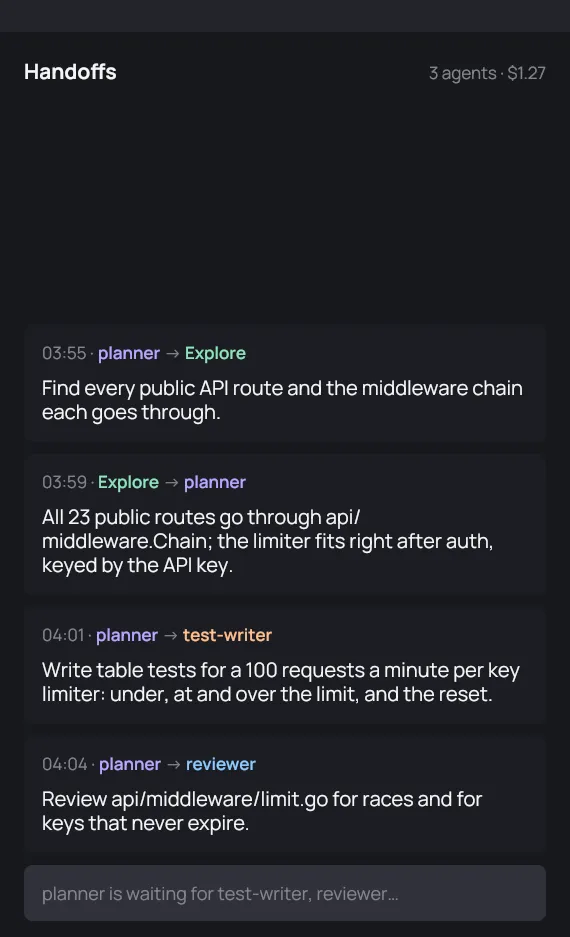
Click a handoff to open that agent’s conversation.
Team or Conversation
Section titled “Team or Conversation”Team | Conversation in the header switches between the team and the lead’s own conversation, with the message box and everything else of a session.