
Tickets
Under each organization with a Jira, GitHub or GitLab account, the sidebar has Tickets: the open issues assigned to you in that organization’s trackers, grouped by project.
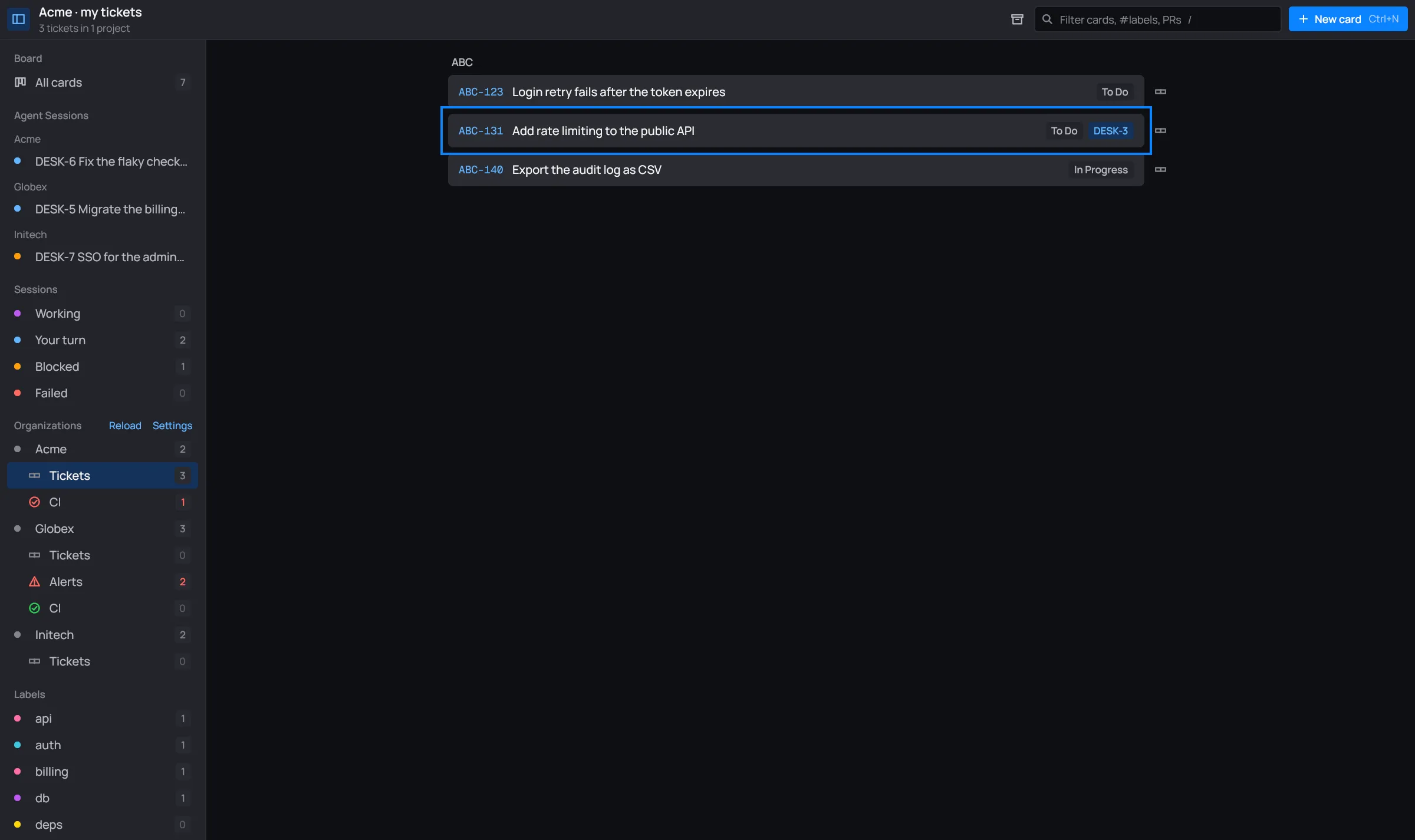
The header says how many: 3 tickets in 1 project. The sidebar row counts them too.

What’s listed
Section titled “What’s listed”- Jira: the open issues assigned to you, through each
[[jira]]account. - GitHub: the open issues (not pull requests) assigned to you in the repositories of each
[[github]]account’s owners, by repository. - GitLab: the open issues assigned to you in each
[[gitlab]]account’s groups, by project.
Only accounts with a token are asked: see Accounts. desk reads up to 100 per account. The list refreshes with the links, every 3 minutes, and when you Reload.
While desk asks the first time, the view says Asking the trackers…; with nothing assigned, Nothing assigned to you. When an account fails, its error shows in red at the top, and the other accounts’ tickets still show. A token in a locked vault says Locked: unlock <vault> for the rest (see Vaults).
The search box filters the list by project, key and title, with the same syntax as the board’s search.
Open its card, or make one
Section titled “Open its card, or make one”Click a ticket:
-
It has a card on the board (one that links it): its key shows on the row, and the click opens that card’s panel.

ABC-131 already has its card, DESK-3. -
It has none: the new-card dialog opens in To do, with the organization and the ticket’s link filled in. The card is titled with the ticket’s key and title. Say what to do, or use Improve with Claude, which reads the ticket first.
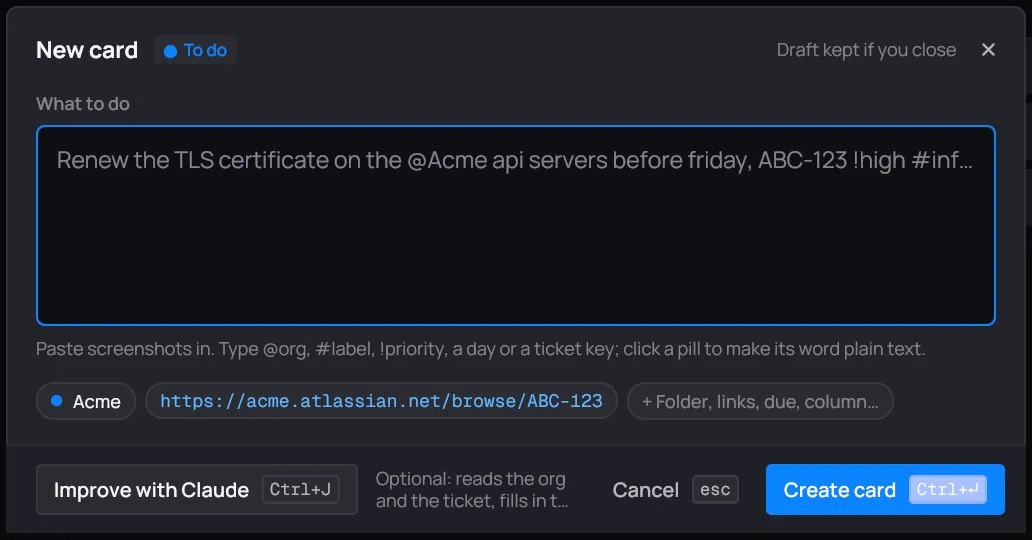
Clicking ABC-123, which has no card yet.
The link button at the end of a row opens the ticket in your browser instead.
Once the card exists, its ticket follows it: moving the card to another column moves the ticket (see Links).