
Drawings
Each organization has drawings: diagrams and sketches in the look of Excalidraw, hand-drawn or clean. You draw them in desk’s own editor, and so does Claude: every Claude desk runs can read them, draw in them, or suggest a change for you to approve.
They’re plain .excalidraw files, so excalidraw.com opens them, and desk opens excalidraw.com’s.
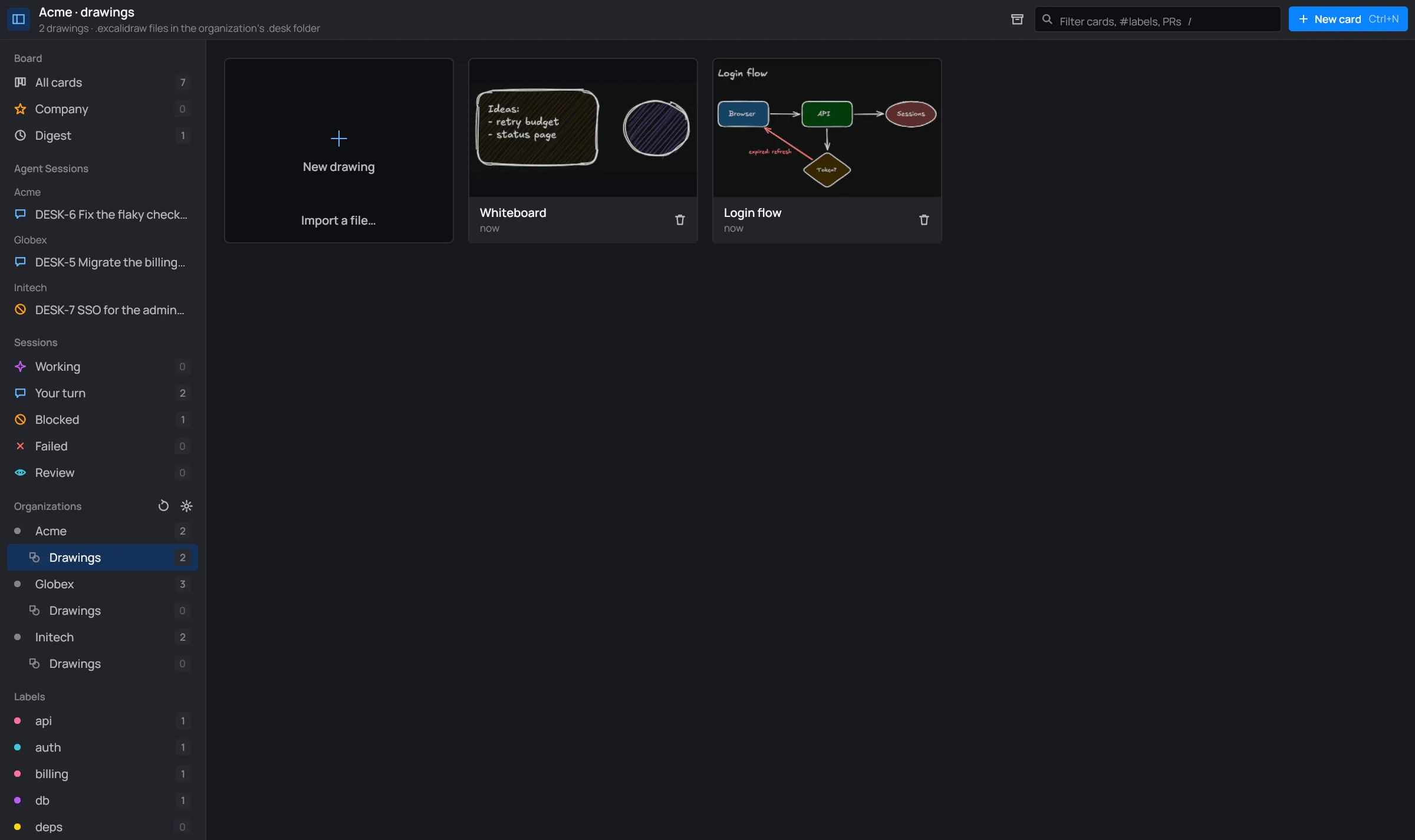
Where they are
Section titled “Where they are”- An organization’s drawings are under Drawings, below its name in the sidebar. The count is how many it has.
- A card’s own drawings open from the shapes icon in the card’s panel header. Use them for what belongs to that piece of work. The card’s Claude finds them first.
Both lists look the same: New drawing first, then each drawing with its picture, its name and when it last changed. Click a drawing to open it. Its bin deletes it, with an Undo in the toast.
New drawing makes an empty one named “Untitled” (then “Untitled 2”…), with the dark canvas, and opens it. Import a file… under it takes an Excalidraw file: see Import.
A drawing
Section titled “A drawing”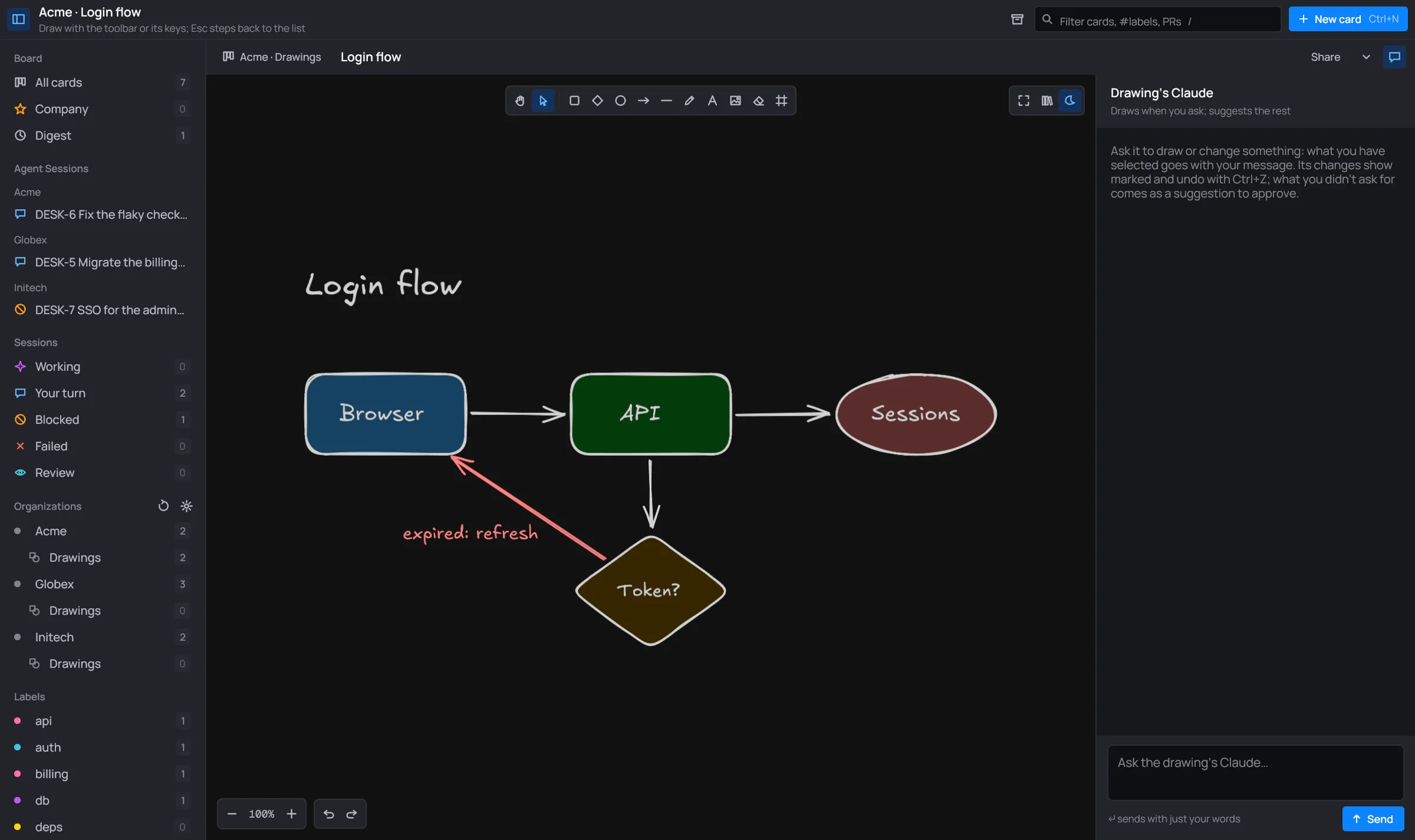
The header has the way back to the list, the drawing’s name (click it to rename; Enter or clicking away keeps the new name), Share and Export (see Export, import and share), and the button that shows or hides the drawing’s Claude.
Below is the canvas with its tools: see The editor. Every change is saved by itself once it settles: there is no Save.
Esc steps back one thing at a time: the text you’re typing, the tool, the selection, then to the list.
The files
Section titled “The files”An organization’s drawings are in <Org>/.desk/drawings/, one .excalidraw file each, named
after the drawing; a card’s are in a folder named after the card inside it. desk keeps its own
notes beside a drawing as hidden files that start with a dot: its Claude’s session and
suggestions, its chat, and the page it was last shared as. They are renamed, deleted and
restored with the drawing. See Files.
The organization’s library is library.excalidrawlib, in the
same folder.