
The workspace
Every card has a workspace: its projects’ files, an editor, and a second Claude, the workspace Claude, that reads the code with you. The card’s own Claude keeps doing the card’s work; the workspace is where you look over its shoulder, ask about what it did, and fix things yourself.
Opening it
Section titled “Opening it”- In a card’s panel or full window, click the
</>icon in the header. - Right-click the card and pick Workspace (W while the menu is open).
- From a file change: the
</>in a diff’s header opens that file with the change selected (see From a diff).

Esc goes back to the card’s session, even from inside the editor (with the find bar open, it closes that first). The chat icon at the top right does the same.
The tree, the editor and the workspace Claude’s chat sit side by side. Drag the line between two
of them to make the tree (160 to 480 dp) or the chat (300 to 720 dp) wider or narrower; desk keeps
the widths for every card’s workspace ([editor] in
settings.toml). In a narrow window the chat, then the tree,
give way so the editor keeps room.
Projects
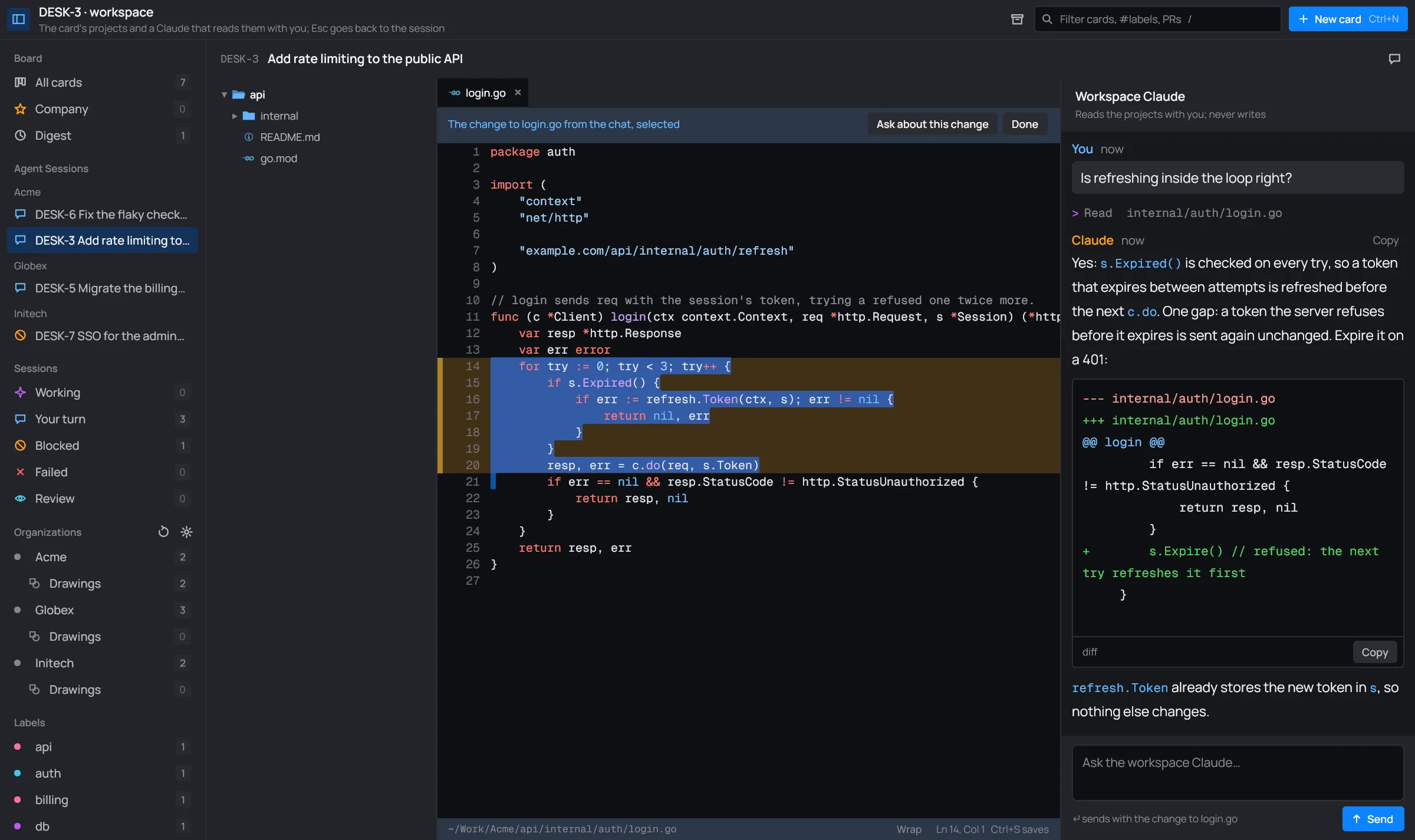
Section titled “Projects”The tree on the left holds the card’s projects. The first is always the card’s own folder; it
can’t be removed. The others are the folders the card’s Claude works in: when it starts working
in a project root (a repository, or a folder with its own build) outside the card’s folder, it
adds it with desk’s add_project tool. desk takes the repository’s root above the path it names
(the nearest folder with a .git, below your home), adds it at once and says so in a toast,
“Added lib to DESK-3’s workspace”, with Undo (Ctrl+Z on the board).
- A click on a folder opens or closes it; desk reads it as you open it. Open folders are read
again when you open the workspace and when the card’s Claude writes a file in them, so a new file
shows up.
.git,node_modules,.worktrees,__pycache__and.venvstay out. - A click on a file opens it in a tab.
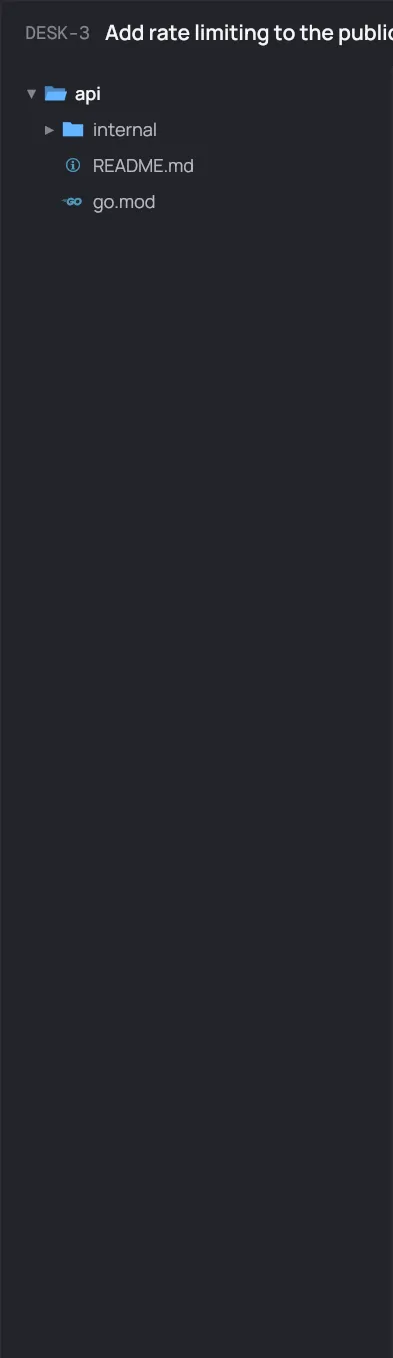
- Ctrl+P, from the editor too, opens the palette on the workspace’s files (its Files tab, only there): type part of a name or path, Enter opens the file. The folders the tree leaves out are left out here too.
- The × on an added project’s row takes it out of the workspace (not its files).
The projects are saved on the card (projects in the board file).
The editor
Section titled “The editor”Files open in tabs over the editor (more than fit scroll sideways, the one shown kept in view): line numbers, the code’s highlighting (the same colors as the chat’s code), undo and redo (Ctrl+Z, Ctrl+Shift+Z), Tab and Shift+Tab to indent selected lines. The foot shows the file’s path, Wrap and the caret’s line and column.
Long lines run off to the right until you turn on wrapping: Alt+Z in the
editor, or Wrap in the foot (lit while it’s on). It counts for every tab and every card’s
workspace, and desk keeps it (wrap under [editor] in
settings.toml). A wrapped line keeps one line number, on its
first row, and the foot’s line counts lines, not rows.
On the lines the caret or the selection is on, each one step for Ctrl+Z:
- Alt+↑ and Alt+↓ move them up or down past the next line.
- Ctrl+Shift+D puts a copy of them below.
- Ctrl+/ comments them out with the language’s line comment (
//,#,--…), at their least indent, or back in when they all are. Languages whose comments wrap the text (Markdown, HTML, JSON) have none: a toast says so.
Find, replace, go to line
Section titled “Find, replace, go to line”In the editor, a bar opens over the file:
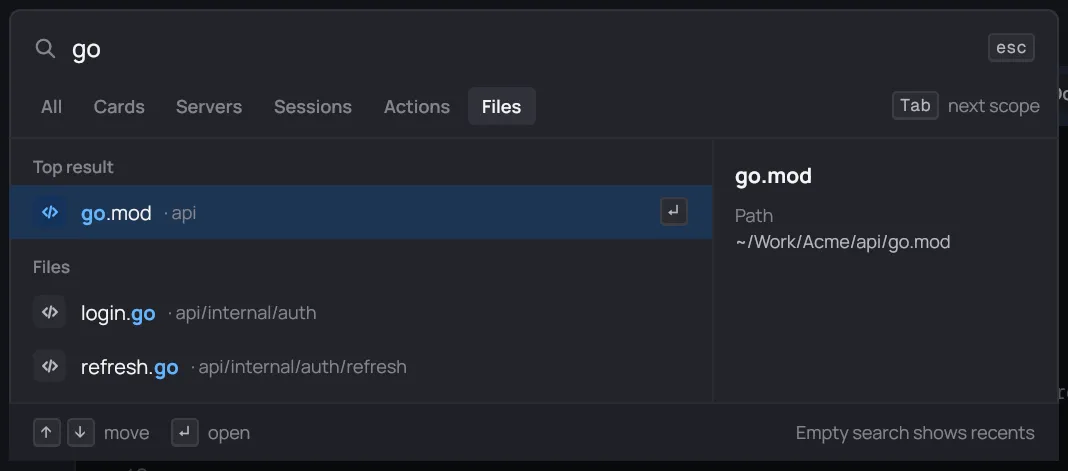
- Ctrl+F finds in the file shown, with the selection (on one line) as the query. Matching is plain text: a query without capitals finds any case, one with capitals finds that case. Every match is marked; typing selects the first from the caret on, Enter or ↓ the next, ↑ the one before, going round at the ends. The bar counts them (“2 of 7”).
- Ctrl+H adds Replace with: Enter or Replace replaces the match selected and selects the next; All replaces every match, undone in one Ctrl+Z.
- Ctrl+G asks for a line number: Enter puts the caret at its start.
Esc or the × closes the bar and gives the editor the keys back.
- Ctrl+S saves the file in place, keeping its permissions (a file opened through a symlink is written where the link points; the link stays). A tab with changes not saved shows ● after its name; its × asks once before dropping them.
- Quitting desk with changes not saved keeps them (in
unsaved.jsonbeside the board, readable only by you): when you open that card’s workspace again, its tabs come back with your text and the ●. If a file changed on disk meanwhile, the bar below asks which to keep. - When the file changes on disk (the card’s Claude edited it, say) and you have no changes in it, the tab reloads by itself. desk looks when the card’s Claude finishes an edit to that file, when you open the workspace and when you switch to the tab.
- If you do have changes in it, a bar asks: Reload takes the file as it is on disk, Keep mine keeps your text (saving it then writes over the other change).
Files over 4 MB, and files that aren’t text, don’t open.
From a diff
Section titled “From a diff”Every diff in a card’s conversation has a </> in its header: Open in
workspace.

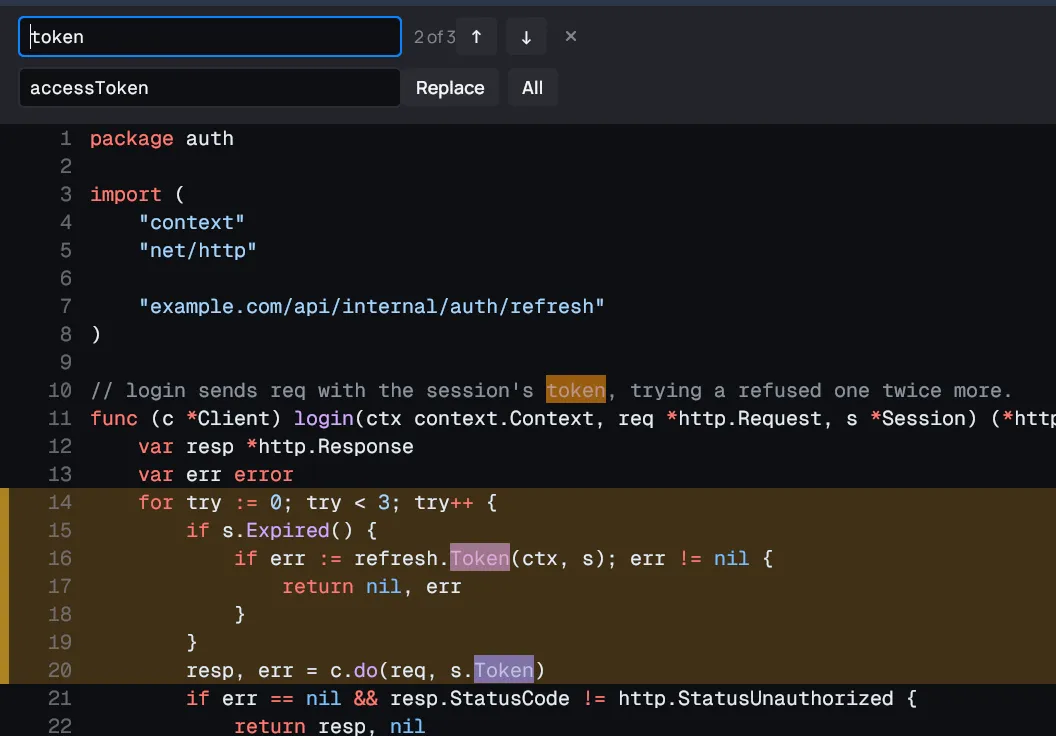
It opens the file, finds the change in it (by its new text: desk doesn’t keep line numbers), selects it, scrolls to it and marks it in the gutter. When the file no longer holds that text (it changed since), the file opens at the top and the bar says so.
The bar over the editor offers Ask about this change, which puts the change, as a diff, in the workspace Claude’s message box for you to add your question, and Done, which clears the mark.

The workspace Claude
Section titled “The workspace Claude”The right column is the workspace Claude’s conversation. It starts the first time you (or the card’s Claude) ask it something, in the card’s folder with the other projects added, under the organization’s account. Its session is kept on the card and resumed the next time; a project added while it runs restarts it (resumed) before its next answer.
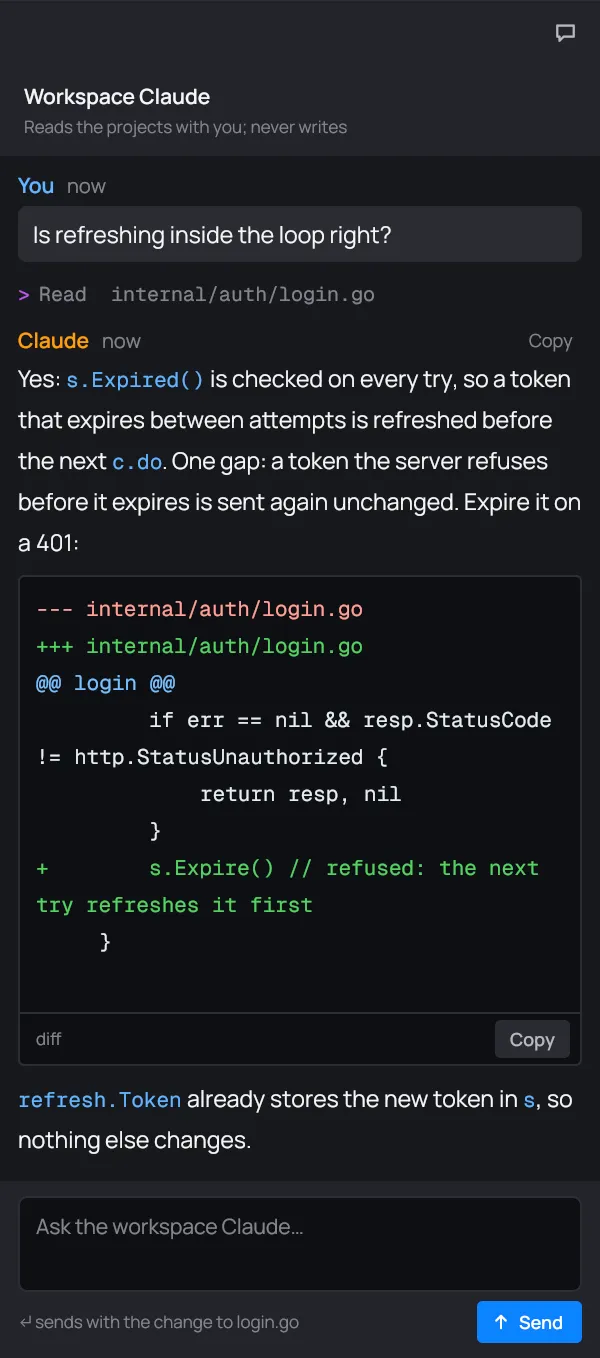
- It only reads. Read, Glob, Grep and skills, and desk’s tools; no other Claude Code tool and none of your own MCP servers (each tool’s description would go with every turn), and anything it would ask to run is refused. It proposes changes as diffs or snippets, for you to make in the editor or pass on.
- What you’re looking at goes with your message, by itself: the change you opened from the chat, else your selection with its line numbers, else the file open and the caret’s line. The line under the box says which (“↵ sends with the selection in login.go”).
- It talks with the card’s Claude. The card’s Claude can ask it something with desk’s
ask_workspacetool: the question shows in the workspace as Card’s Claude, and the answer goes back into the card’s conversation as Workspace Claude (to Claude, “From the workspace Claude:”), as the infra Claude’s messages do. When you ask it to pass a suggestion on, it sends it the same way (suggest_to_card).
Its conversation is kept beside the card’s (chats/ws-<card>.jsonl). The open tabs are kept on the
card (tabs in the board file) and open again with its workspace; a file gone from disk is left
out.