The canvas
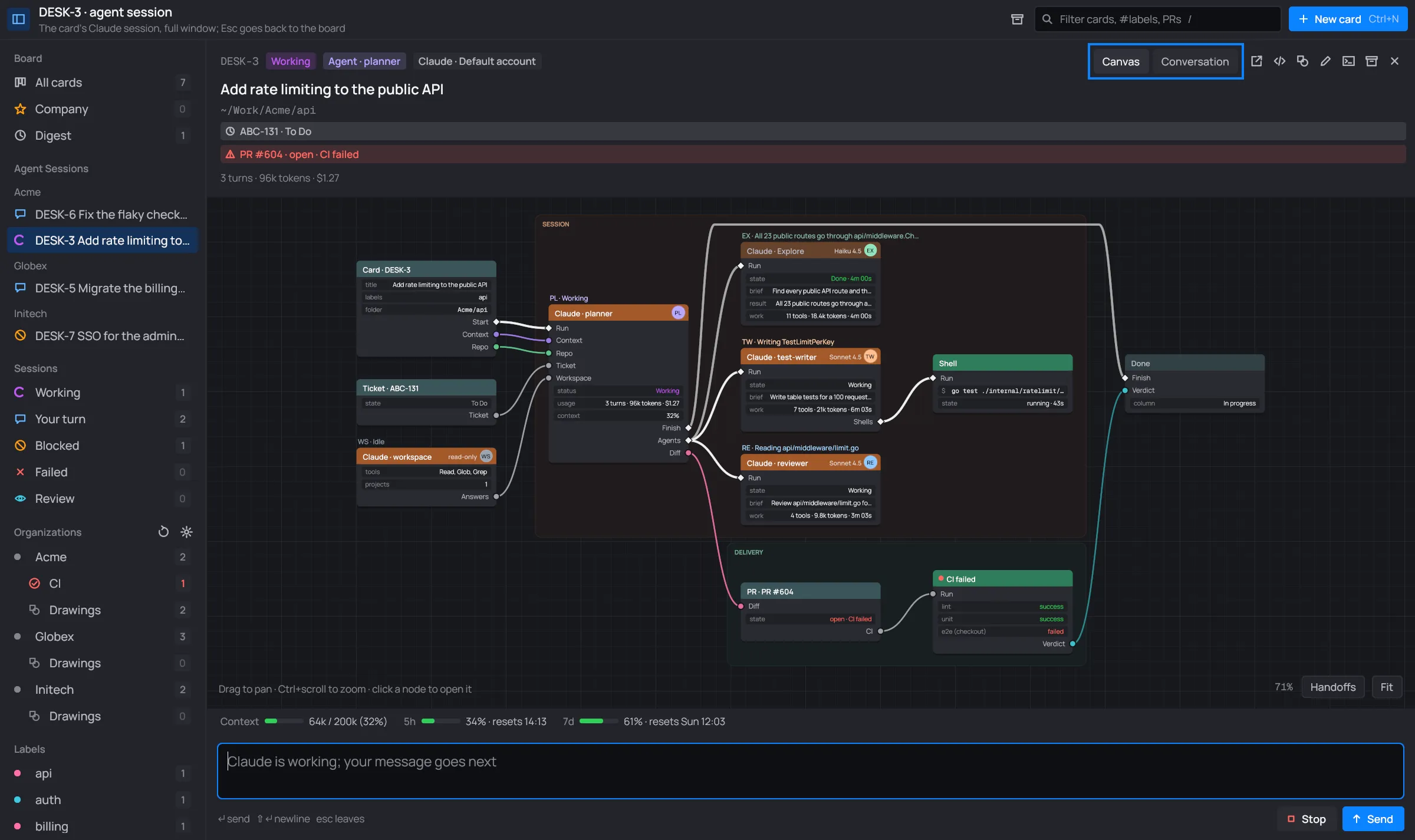
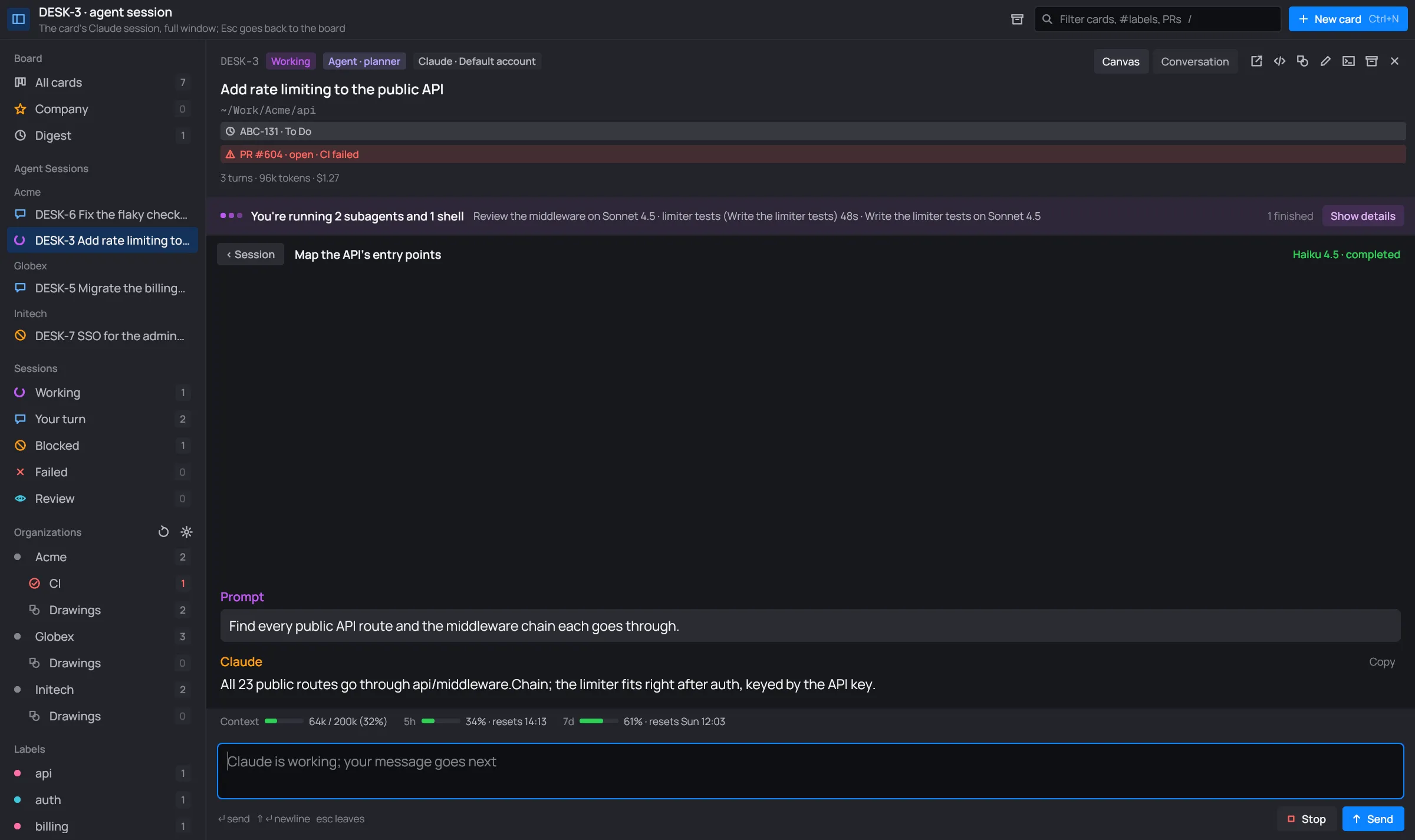
In the full window, a card’s session can show as a canvas: its process drawn as nodes and wires, the way Blender draws nodes. It draws what desk knows of the card right now; nothing runs from it.
What it draws
Section titled “What it draws”From left to right:
- The card: its title, labels and folder. It starts the session and gives it the card’s context and its folder. Click it to edit the card.
- Its tickets, each with its state. Click one to open it in the browser.
- The workspace Claude, once the card has one: read-only, it answers the session’s questions. Click it to open the workspace.
- The session: the card’s Claude, or the agent the card runs as. It shows the card’s status, turns, tokens and cost, and how full its context is. Click it to read its conversation.
- Its subagents, one node per kind of agent, each in its own color. A node shows the agent’s model, its state (Working, Waiting when it’s held, see Held subagents, Done · <time>, or how it failed), its brief, its result once it’s done, and its tools, tokens and time. An agent that ran several times shows “×N” and its latest run. Click it to open its conversation.
- Shells hang off whoever ran them: the session or a subagent. Click one to see its output.
- An autopilot’s cards, in their own Autopilot frame: one node per card, with its title, status and what it’s doing, wired from the autopilot’s session and into Done. Click one to open its session.
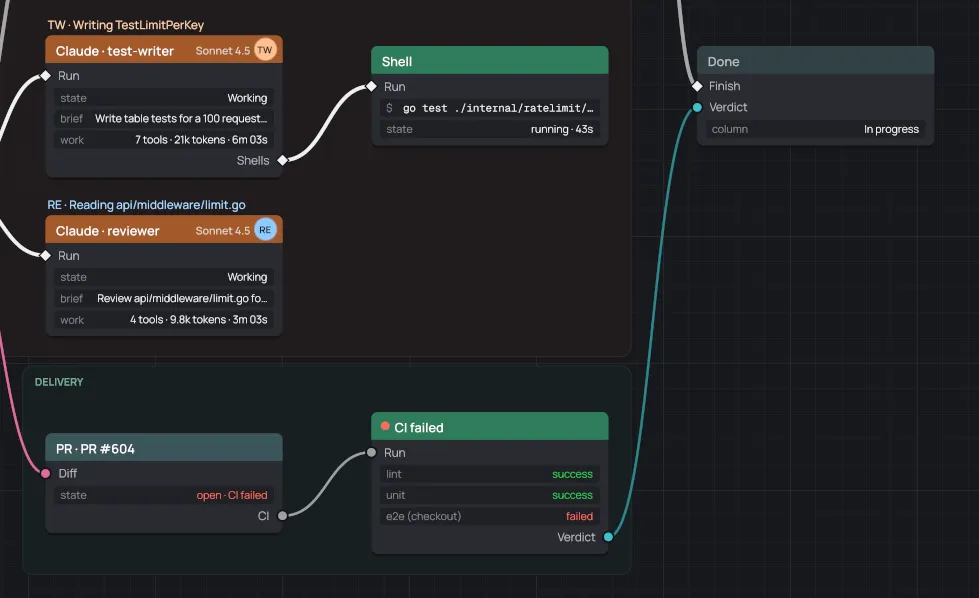
- Pull requests and commits, with their state, and their CI: each job and how it went. Click a pull request to open it, its CI to open the failed run (or the first).
- Other links and the pages the session published.
- Done: the card’s column. It turns cyan while the card waits in Review, green once you move it to Done.
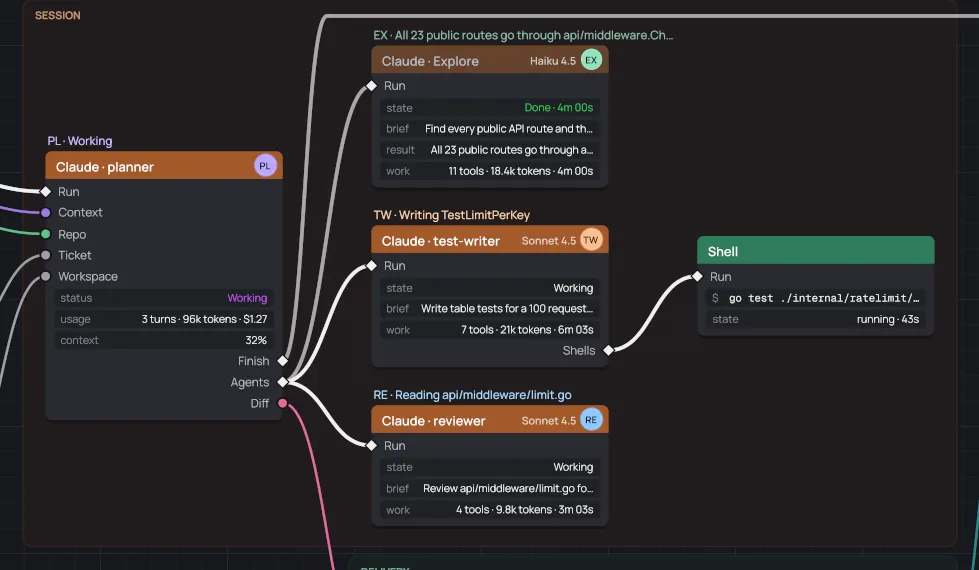
Thick white wires with diamond sockets are the run order: the card starts the session, the session hands work to its agents and shells, and finishes the card. Colored wires carry data, colored by what they carry: the card’s context (purple), its folder (green), changes (pink), a pass or fail (cyan), words and links (grey). The session and its team sit in the Session frame, what it delivers in the Delivery frame.
Who is where
Section titled “Who is where”Each Claude’s node carries an avatar in its header: its initials in its color, the session’s, each subagent’s, the workspace Claude’s. Over the node, a line says what it’s on: the tool it runs, what it’s waiting on, or how it ended. A working avatar breathes, so you can tell at a glance who is busy.
Moving around
Section titled “Moving around”- Drag the canvas to pan it, or scroll.
- Ctrl+scroll (⌘+scroll on macOS) zooms around the pointer, from 40% to 250%.
- Fit shows the whole graph again. It opens fitted, and stays fitted as the graph grows until you pan or zoom.
Agents done for more than 20 minutes leave the canvas. A chip at the foot, “N earlier agents”, brings them back, and “Hide N earlier agents” sends them away again.
Handoffs
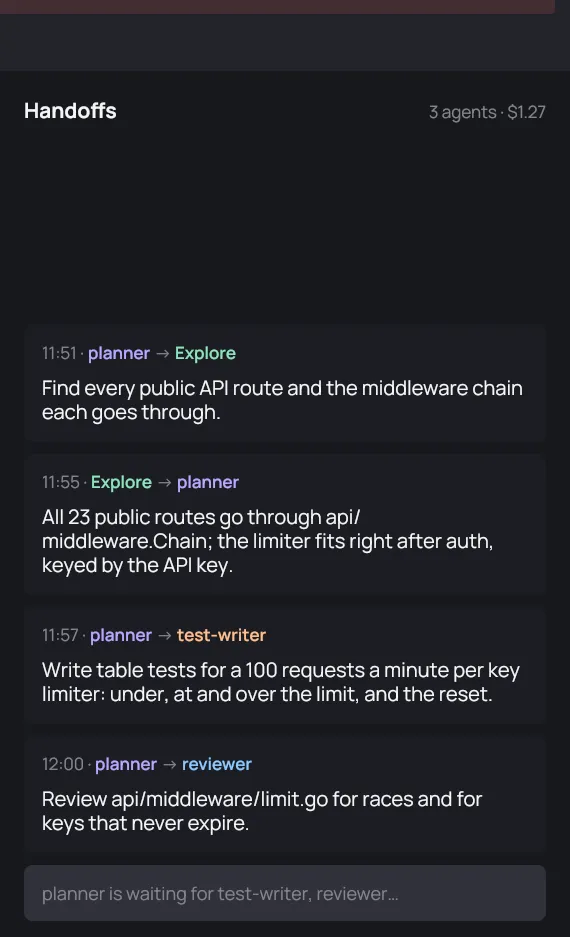
Section titled “Handoffs”Handoffs at the canvas’s foot lists the team’s handoffs beside it, in order, newest last: each brief the session gave an agent, and each result an agent gave back. Each says when, and who handed what to whom; the list ends with who the session still waits for. Click a handoff to open that agent’s conversation. Hide handoffs puts the list away.
Canvas or Conversation
Section titled “Canvas or Conversation”Canvas | Conversation in the header switches between the canvas and the session’s own conversation. A card that runs as an agent, or an autopilot, opens on its canvas, any other on its conversation; desk keeps what you picked for each card until it quits. A question or a permission Claude asks shows over the message box either way.
With Desk Control on, /canvas in the card’s
topic sends its canvas to Telegram as a picture.